Updatly Review & Overview (Features, Pricing, & Alternatives)
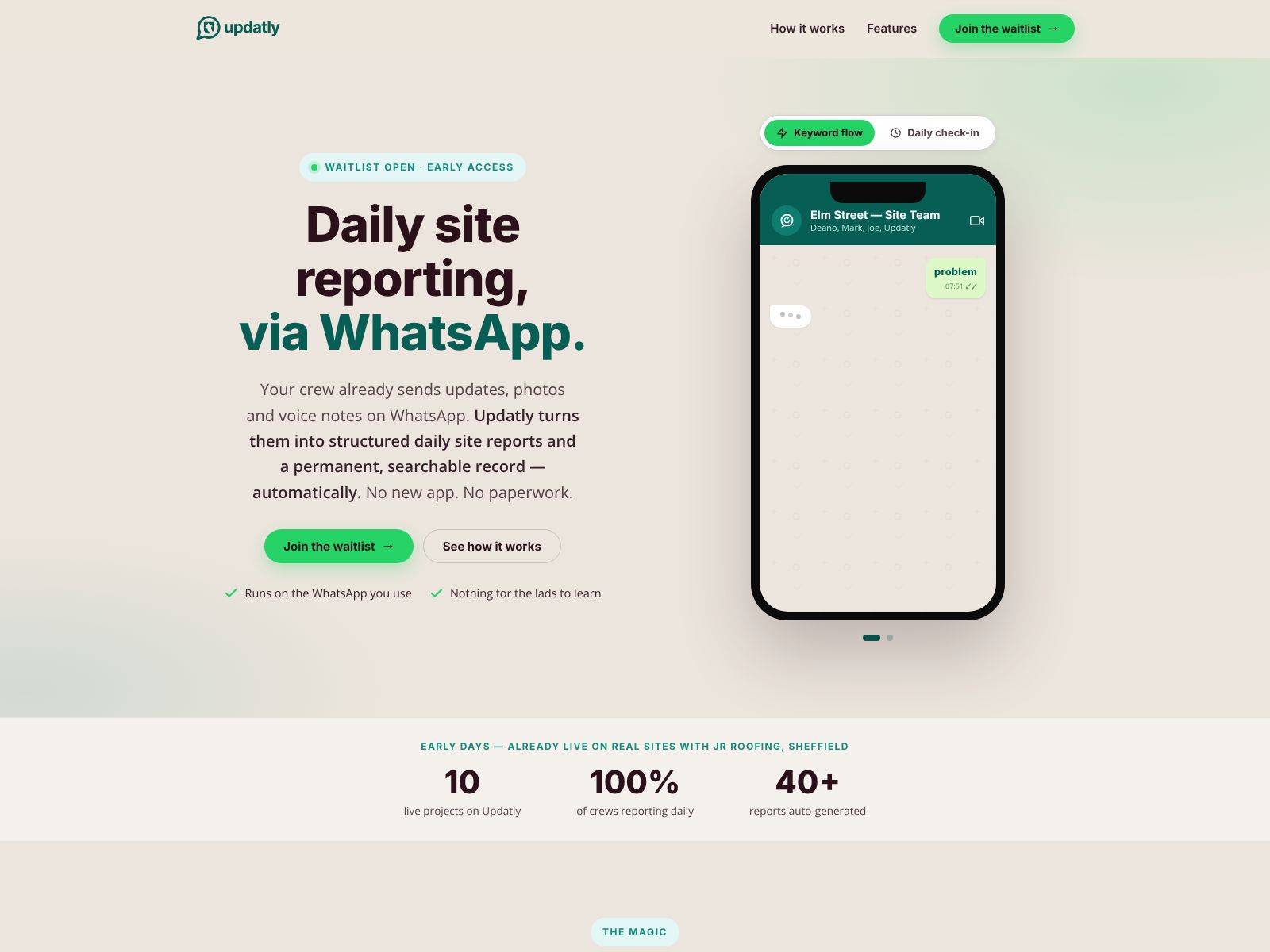
If your crews live in WhatsApp and your reporting lives in spreadsheets (or, worse, in no man’s land), Updatly is designed for you. It takes the way your field teams already communicate and quietly turns it into clean, structured, timestamped records and AI summaries—without asking anyone to download a new app or remember another login.
In this review, you’ll get a clear look at what Updatly does, how it works, who it’s best for, pricing, top competitors, and practical considerations so you can decide if it’s the right fit for your trade-led or deskless workforce.
What does Updatly do?
Updatly turns everyday WhatsApp messages from your field teams into reliable operational reports. It prompts workers to check in, captures issues and progress with photos and notes, escalates urgent problems to the right person, and produces daily and weekly AI-generated summaries for managers. All data is stored outside WhatsApp as a permanent, searchable audit trail.
Who is Updatly for?
Updatly is built for trade-led, deskless teams that already use WhatsApp every day. Typical users include:
- Roofing contractors running multiple live jobs
- Electrical and mechanical teams
- Groundworks, civils, and utilities crews
- Plumbing and heating businesses
- General building contractors and subcontractors
- Facilities management and maintenance providers
- Any deskless workforce operating across sites, shifts, or routes
How Updatly works
1) Outbound prompts so nobody forgets to report
Updatly connects to your own WhatsApp Business number via the WhatsApp Business API. It sends scheduled, job-specific prompts straight into workers’ WhatsApp chats—things like daily site check-ins, toolbox talks, van and plant checks, and end-of-shift summaries. People reply as they always do, with text, photos, videos, quantities, and dates. No new app, no passwords, no behavior change.
2) Inbound keyword flows when the field needs to speak up
When something happens on site, workers start a flow by typing a keyword in WhatsApp. Common ones include ISSUE, EXTRA, START, DONE, DELIVERY, and SNAG. Each keyword triggers a short, structured conversation that guides the worker to provide the right details and media. Urgent issues are escalated to a named contact in real time so the right person sees the right thing immediately.
3) A permanent audit trail and AI reporting for leadership
All inbound and outbound activity is captured and stored outside WhatsApp as timestamped, structured records. Updatly then compiles AI-generated daily and weekly reports for managers and leadership, so you see trends, exceptions, and risks without sifting through chats. The audit trail stands up in variation, delay, and defect disputes and outlives any personal handset or WhatsApp group.
Updatly Features
- WhatsApp-native workflows: Your teams keep using WhatsApp exactly as they do today. Updatly handles the structure behind the scenes.
- Two-way reporting: Scheduled prompts outbound; worker-initiated keyword flows inbound for events, progress, and problems.
- Structured data capture: Text, photos, videos, quantities, and dates are guided, labeled, and stored as consistent records.
- Real-time escalation: Urgent ISSUES are routed to a named contact so nothing critical gets buried in a group chat.
- AI daily and weekly reports: Automated summaries roll up field activity into clear insights for managers and leadership.
- Permanent, timestamped audit trail: All records are stored outside WhatsApp and persist beyond devices and chat histories.
- Configurable by trade and job: Question sets, prompts, fields, and reports adapt to roofing, electrical, plumbing, groundworks, and more.
- No new app or logins: Zero adoption friction, including among subcontractors who resist extra software.
- Multi-job visibility: Built to support businesses running multiple live jobs with different crews and subcontractors.
- Keyword flows library: Common flows include ISSUE, EXTRA, START, DONE, DELIVERY, and SNAG; these can be tailored per trade.
Benefits you can expect
- Higher reporting compliance: Scheduled prompts mean reports actually get filed, even on busy days.
- Faster issue resolution: Real-time escalation directs urgent problems to a named person immediately.
- Fewer disputes and write-offs: A clear, timestamped audit trail helps settle variations, delays, and defects.
- Cleaner visibility for managers: AI summaries turn fragmented chats into digestible daily and weekly updates.
- Less admin and chasing: Automated prompts reduce “Have you sent the report?” messages and manual collation.
- Rapid subcontractor onboarding: If they can use WhatsApp, they can report to your standard from day one.
- Consistency across teams: Structured flows normalize the “what” and “how” of reporting across sites and trades.
Pricing
Updatly’s subscription pricing ranges from £39 to £229 per month. Exact costs depend on your configuration and scale. That spread makes it accessible to smaller trade businesses while still supporting multi-job contractors with larger teams. For an accurate quote and plan details, check the pricing information on updatly.co.uk.
Getting started
Rolling out Updatly is straightforward because it builds on the WhatsApp habits your teams already have. A typical path looks like this:
- Connect your WhatsApp Business number via the WhatsApp Business API.
- Choose your initial prompts (for example, daily check-ins, toolbox talks, and van checks).
- Enable a core set of inbound keywords (ISSUE, START, DONE, DELIVERY, and SNAG are common).
- Configure job- and trade-specific fields so replies are structured to your standards.
- Pilot with one or two active jobs to fine-tune question sets and escalation rules.
- Roll out to more teams, then activate AI summaries for leadership.
Because there’s no new app to learn, training is mostly about introducing the keywords and showing what “good” looks like in replies. Most crews are up and running in days, not weeks.
Limitations and things to consider
- WhatsApp dependency: If your teams do not use WhatsApp or have limited connectivity, adoption benefits diminish.
- Scope: Updatly is a reporting layer, not a full project management suite. If you need drawings management, RFIs, submittals, and financial controls in one place, you may still pair it with a broader platform.
- API requirements: You’ll need a WhatsApp Business API connection to your number. If you don’t have one yet, factor setup into your timeline.
- Change management: While there’s no new app, you’ll still need to introduce keywords and standards for reply quality.
- Media handling: Large volumes of photos and videos are supported, but you’ll want clear guidance on which media to capture to keep reporting focused.
Real-world scenarios
- Daily site check-in: A roofer receives a morning prompt, replies with weather conditions, headcount, planned tasks, and a quick site photo. The record timestamps the start of work and sets expectations for the day.
- ISSUE escalation: A pipe burst is reported with the ISSUE keyword, photos, and a note on impact. Updatly escalates to the site manager immediately, logging the chain of response and decisions for later review.
- EXTRA for variations: A supervisor raises an EXTRA when a client asks for additional outlets. Quantities and costs are captured on the spot, with photos, so there’s no “he said, she said” weeks later.
- START and DONE: A groundworks crew uses START to mark the beginning of a pour with a site photo and delivery ticket, then DONE to log completion with final quantities and a video sweep.
- DELIVERY verification: Materials arrive; the DELIVERY flow captures supplier, quantities, batch details, and photos of received goods, preventing later disputes.
- SNAG tracking: Small defects are logged with SNAG, including location shots and notes. Snags appear in the daily AI report until closed, improving handover quality.
- Toolbox talks and checks: Scheduled prompts request a photo of the sign-in sheet and confirm attendance topics, creating a clean H&S record over time.
Why WhatsApp-native matters
The biggest barrier to any field software is adoption. Subcontractors and casual labor often won’t install apps, remember passwords, or tolerate slow logins. Updatly sidesteps that by meeting people where they already are—WhatsApp—and applying structure invisibly. The result is higher-quality data with less effort, which is why the platform first proved itself alongside a roofing contractor and is now configurable across trades.
Who is behind Updatly?
Updatly Limited was incorporated in England in July 2026 and is based in Lincolnshire, UK. The company’s long-term ambition is to be the reporting layer for all deskless work, reaching beyond construction into field services, logistics, and agriculture. That focus shows in the platform’s core principle: no new app, no logins, and no behavior change.
Where Updatly fits in your tech stack
Think of Updatly as your real-time field reporting layer. It sits alongside whatever you use for planning, scheduling, or project controls. Many contractors will continue using their existing systems for drawings, RFIs, or budgets, while relying on Updatly to turn day-to-day WhatsApp chatter into reliable records and leadership-ready summaries. If you’ve struggled to get subcontractors engaged with your main platform, this split approach can work well.
Updatly Top Competitors
If you’re comparing options, here are well-known alternatives that solve adjacent problems. Each takes a more traditional “app-first” approach, while Updatly is WhatsApp-native:
- Procore: A comprehensive construction management platform covering drawings, RFIs, submittals, and field reporting. Great breadth; typically requires formal onboarding and app usage by all parties.
- Autodesk Build (PlanGrid): Strong for drawings, issues, and site documentation with robust mobile apps. Best for contractors standardizing on Autodesk’s ecosystem.
- Fieldwire: Field coordination and task management with plans, punch lists, and site diaries. Clear, mobile-first workflows but requires app adoption.
- Raken: Daily reports, time cards, and toolbox talks with a polished mobile app. Popular for superintendent-friendly reporting in North America.
- SafetyCulture (iAuditor): Flexible inspections and checklists across industries. Excellent for H&S programs; not WhatsApp-native and relies on its own app.
- LetsBuild (Site Diary): Site diary, progress, and H&S tools oriented to European contractors. Good documentation structure; app-based.
- DIY via WhatsApp API + forms/automation: You can stitch together WhatsApp providers with low-code tools, but you’ll own the build, maintenance, and user experience. Updatly packages this into a purpose-built reporting layer.
How to choose:
- Pick Updatly if your priority is frictionless reporting from crews and subcontractors who already use WhatsApp, and you want AI summaries and a structured audit trail without an extra app.
- Pick a full suite like Procore or Autodesk Build if you need end-to-end project controls, drawings, and documentation in one system and can enforce app usage.
- Pick Raken, Fieldwire, or LetsBuild if you want strong, app-centric field reporting or coordination and your teams are comfortable adopting new software.
- Consider SafetyCulture if inspections and checklists are your top driver across varied sites and industries.
Strengths and trade-offs at a glance
- Strengths: WhatsApp-native simplicity, structured two-way flows, real-time escalation, AI daily/weekly summaries, and a durable audit trail that outlives devices and chat groups.
- Trade-offs: Depends on WhatsApp usage; not a full project management system; requires a WhatsApp Business API connection; and still benefits from coaching teams on keyword use and quality of replies.
Questions to ask before you buy
- Do most of your crews and subcontractors already report via WhatsApp? If yes, Updatly’s adoption will likely be quick.
- What reports are you missing today? Identify the daily/weekly insights you want leadership to see and ensure those are captured in prompts and keywords.
- Who must be notified when something critical happens? Map your escalation paths so urgent ISSUES reach the right person every time.
- Which trades or jobs should pilot first? Start where you have motivated supervisors who will champion the change.
- What data will settle disputes later? Agree a minimum media standard—two photos, location shot, delivery note, quantities—so your audit trail is bulletproof.
Implementation tips from the field
- Keep your first flow simple: Pick 3–4 prompts and 3–4 keywords. Add more once everyone is comfortable.
- Name your keywords clearly: ISSUE for blockers, EXTRA for variations, and SNAG for defects keeps everyone speaking the same language.
- Use examples: Show crews a “gold standard” ISSUE or DELIVERY reply with the right photos and details.
- Close the loop: When an ISSUE is resolved, reply DONE with a short note. It trains teams to keep records tidy.
- Celebrate wins: Share AI summaries that showed time saved or a dispute avoided. It reinforces the habit.
Wrapping Up
Updatly does one important thing very well: it turns the WhatsApp behavior your teams already have into reliable operational reporting—without making anyone change tools. Scheduled prompts reduce forgetfulness, inbound keywords structure the chaos of the day, urgent issues reach a named contact fast, and AI-generated daily and weekly summaries keep leadership informed. The permanent, timestamped audit trail helps you win disputes and learn faster from what’s happening on site.
If you’ve struggled to get subcontractors to use your chosen app, or if your daily reporting is sporadic and hard to collate, Updatly is worth a close look. With pricing from £39 to £229 per month and a WhatsApp-native approach, it offers a pragmatic path to better data and fewer surprises across roofing, electrical, groundworks, plumbing and heating, building, and maintenance operations.
To explore features, pricing, and a pilot for your teams, visit updatly.co.uk.