




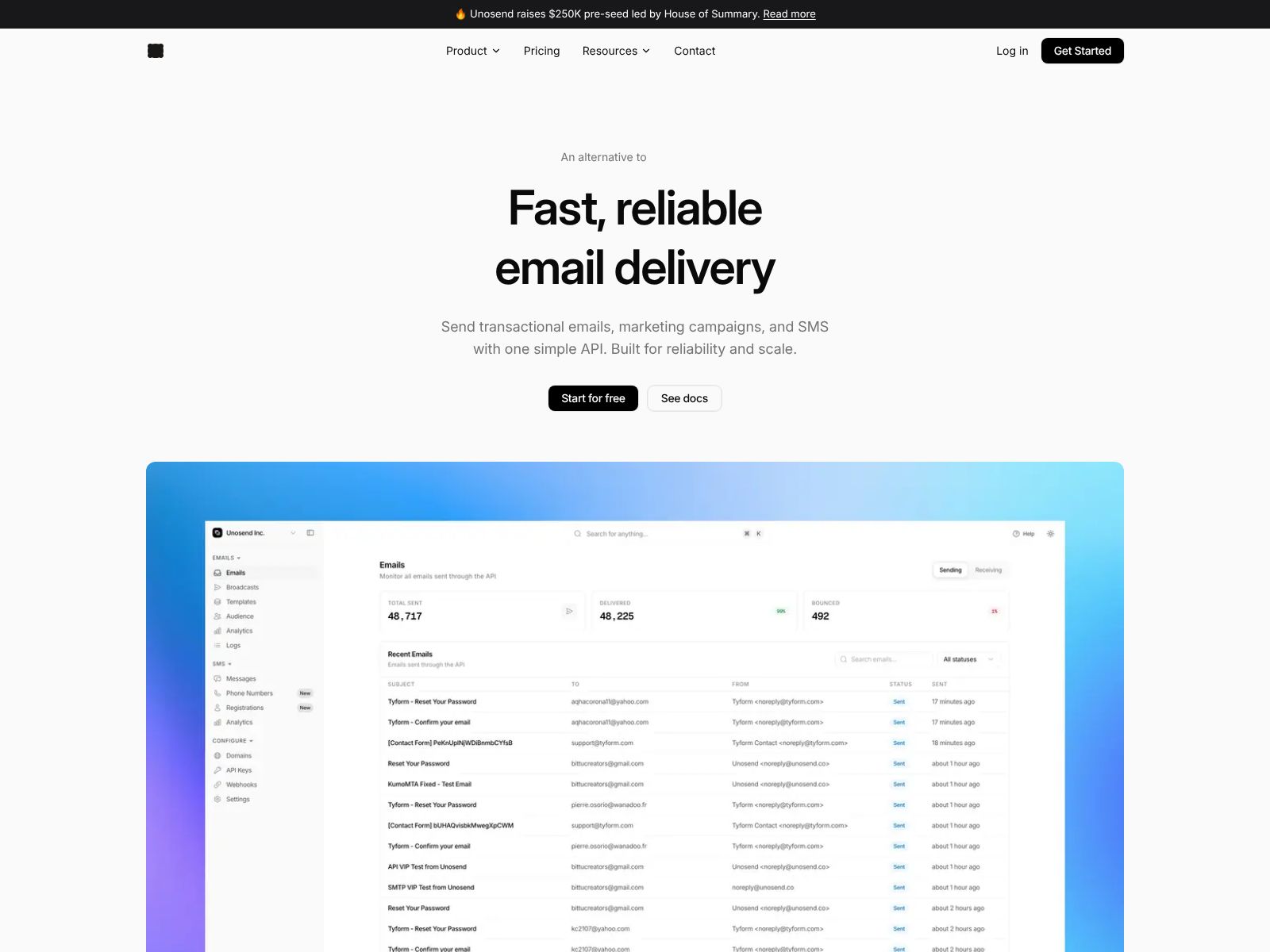
If your team sends product emails, transactional messages, or SMS at any real scale, you know how quickly the details get complicated. Deliverability, IP reputation, templates, webhooks, retries, analytics, compliance—there’s a lot to get right. Unosend aims to make all of this simpler for developers and product teams by giving you a fast, reliable messaging platform with clean APIs and the option to use providers you already trust (like AWS SES or your own MTA).
In this review, I’ll walk you through what Unosend does, its core features, the kind of teams it fits best, how to think about pricing, and where it sits among popular alternatives. By the end, you should have a clear sense of whether Unosend belongs in your stack—and how to evaluate it alongside the tools you might already be using.
Unosend is a developer‑first platform for sending email, SMS, and WhatsApp messages. It helps your team deliver everything from transactional emails (like password resets and receipts) to product notifications and marketing campaigns. You can integrate quickly via simple APIs and SDKs, manage templates and workflows without engineering bottlenecks, and keep tight control over deliverability by connecting to providers like AWS SES or even your own self‑hosted MTA.
In short: Unosend centralizes your customer messaging across channels, gives developers a reliable interface to send at scale, and gives non‑technical teammates the tools to iterate without waiting on code changes.
Unosend focuses on two audiences at once: developers who want a fast, flexible integration, and product or growth teams who need to ship campaigns, iterate on templates, and track performance. Here’s how the feature set supports both sides.
Why it matters: When messaging is part of your core product, you want a reliable abstraction that’s easy to reason about. Unosend gives you a clear contract for sending and for reacting to events, so you can build product logic (like retries or in-app state updates) with confidence.
Why it matters: Product communication doesn’t live in a single channel anymore. A password reset might start with email but fall back to SMS. An order update might go to WhatsApp based on region or preference. Unosend lets you coordinate that logic without juggling multiple systems.
Why it matters: Deliverability is never “one size fits all.” Many teams prefer to control their sending reputation and authentication directly. With Unosend, you can do that while still getting a modern product experience and a developer‑friendly API layer.
Why it matters: Every time a developer pushes a code change to tweak email copy, your team loses time. Templates give non‑technical teammates a safe place to iterate quickly while engineering focuses on product work.
Why it matters: Messaging is part of your user experience. You need to see what’s working and what isn’t—quickly—so you can fix deliverability problems, iterate on content, and prove the impact on activation, retention, or revenue.
Why it matters: When messaging goes down, your product breaks. Unosend’s focus on control and reliability helps teams avoid outages and reputation failures that are expensive to repair.
Why it matters: Scaling messaging isn’t just about sending more. It’s about making sure the right message arrives once, with the right context, and is traceable end to end. That’s what keeps your team confident at scale.
Why it matters: Great communication is iterative. Your team needs room to experiment and refine. Unosend gives you that room without compromising developer control or observability.
This flow lets you ship quickly while maintaining a strong safety net. If you’re migrating from an existing system, you can route a small percentage of traffic first, confirm deliverability, and then cut over fully.
Unosend positions itself as a developer‑first platform that can connect to providers like AWS SES or your own MTA. That means the total cost you pay typically has a few components:
Because pricing can change and may depend on your volume and configuration, the best way to get accurate numbers is to check the Unosend website or contact their team directly at unosend.co. If you’re evaluating costs, here’s a simple framework you can use:
Bottom line: Expect a usage‑driven model with the option to keep your provider costs separate if you bring your own. Reach out to the Unosend team for exact tiers, any free allowances, and dedicated features you might need.
Choosing a messaging platform often comes down to fit. Here are common alternatives you may be considering, and how Unosend compares at a high level.
What it is: A low‑cost, high‑deliverability email sending service from AWS.
When SES is a fit: You want a bare‑bones, cost‑efficient email engine and you’re comfortable building (and maintaining) templates, analytics, and workflows yourself.
How Unosend differs: Unosend can sit on top of SES to provide modern APIs, templates, analytics, and workflows—without giving up SES pricing or control. If you already use SES or plan to, this combination can be compelling.
What it is: A widely used email platform with APIs and marketing tools.
When SendGrid is a fit: You want a single vendor for email with solid tooling and a large ecosystem.
How Unosend differs: Unosend emphasizes a developer‑first experience and the option to use your own providers (including SES or self‑hosted). It also brings SMS and WhatsApp into the same product, which can reduce tool sprawl if you need multi‑channel workflows.
What it is: A developer‑centric email platform with strong APIs and deliverability tooling.
When Mailgun is a fit: You want a focused email solution with a developer‑friendly experience and don’t necessarily need multi‑channel in the same tool.
How Unosend differs: Unosend adds SMS and WhatsApp in one place and supports bring‑your‑own providers. If you need tighter control of infrastructure or a single pane of glass for multiple channels, Unosend may be a better match.
What it is: A transactional email service known for reliable delivery and clear dashboards.
When Postmark is a fit: Your priority is best‑in‑class transactional deliverability for email alone.
How Unosend differs: Unosend centralizes multi‑channel messaging and lets you retain control of providers like SES or your own MTA, which can be helpful if you have specific compliance or cost requirements.
What it is: An email delivery platform with enterprise features and analytics.
When SparkPost is a fit: You’re primarily email‑focused at enterprise scale and want deep deliverability tools from a single vendor.
How Unosend differs: Unosend foregrounds developer experience, provider flexibility, and multi‑channel workflows, making it appealing if you don’t want to commit to a single email provider for everything.
What it is: A notifications platform that unifies multiple channels with a focus on developer tooling.
When Courier is a fit: You want a channel‑agnostic notifications layer across email, push, chat, and SMS.
How Unosend differs: Unosend focuses on email, SMS, and WhatsApp with an emphasis on deliverability control via provider choice (e.g., SES or self‑hosted), plus templates and workflows that product teams can run with.
What they are: Established providers for SMS and WhatsApp with global reach.
When they’re a fit: You need deep telephony features or a direct relationship with a single SMS/WhatsApp carrier platform.
How Unosend differs: Unosend brings email, SMS, and WhatsApp together under one roof with shared templates, analytics, and workflows, so your product scenarios can live in one place rather than across multiple tools.
What they are: Powerful lifecycle marketing platforms for behavioral campaigns across multiple channels.
When they’re a fit: You need advanced audience segmentation, real‑time behavioral orchestration, and a heavy emphasis on marketing automation.
How Unosend differs: Unosend takes a developer‑first, infrastructure‑flexible approach with simpler APIs, templates, and workflows. It’s a strong fit when you want to keep provider control and avoid the overhead of large marketing suites.
Unosend is built for modern product teams that care about speed, reliability, and control. It gives developers straightforward APIs and the freedom to bring their own providers (like AWS SES or a self‑hosted MTA), while giving product and growth teams the templates, analytics, and workflows they need to ship faster.
If you’re deciding whether to build or buy your messaging layer—or if you’ve outgrown a patchwork of scripts and single‑channel tools—Unosend is worth a serious look. Start by identifying your core use cases (transactional, product notifications, marketing), your channels (email, SMS, WhatsApp), and your deliverability constraints. Then evaluate Unosend head‑to‑head against your current setup and a few top alternatives to see which approach gives you the best mix of control, simplicity, and cost.
To learn more, explore the docs and reach out to the team at unosend.co. If you already use AWS SES or run your own MTA, you may find that Unosend gives you the best of both worlds: the provider control you want with a developer‑friendly platform your whole team can use.
