Team HQ Review (Features, Pricing, & Alternatives)
If you run a youth sports organization, you probably spend too much time chasing down RSVPs, forwarding schedules, and repeating the same announcement across a dozen group chats. Team HQ was built to calm that chaos. It gives you one place to organize schedules, share announcements, manage rosters, and keep team communication clean, timely, and easy to find.
In this review and overview, I’ll walk you through what Team HQ does, how it helps youth clubs and teams, the features you can expect, what pricing typically looks like in this category, and the top alternatives to consider. By the end, you’ll know whether Team HQ is a good fit for your organization and how to move forward with confidence.
What does Team HQ do?
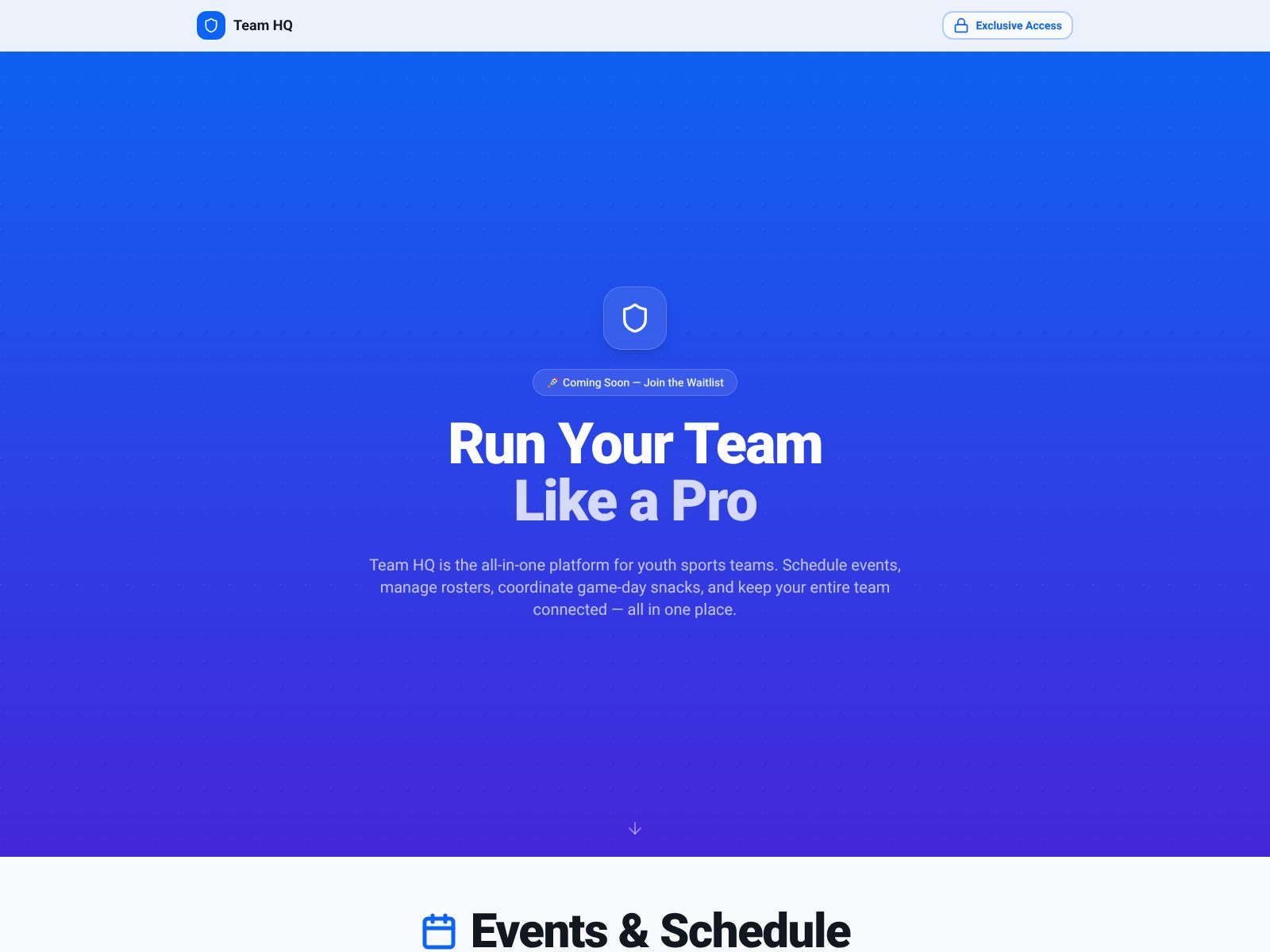
Team HQ centralizes schedules, rosters, announcements, and team communication for youth sports organizations so everyone stays aligned without messy, scattered group chats.
Why Team HQ matters (in plain language)
Youth sports move fast. Games change, fields get reassigned, carpool plans shuffle, and new families join mid-season. When each team uses its own tools or unstructured chats, things slip through the cracks. Team HQ creates one structured system that puts your entire organization on the same page. Coaches and admins save time. Parents know where to look. Players show up prepared. And you spend less energy chasing details and more time building your program.
Who Team HQ is best for
- Club directors who manage multiple teams and need a central command center
- Coaches who want simple scheduling, rosters, and fast announcements
- Team managers who are done with chaotic group chats and hard-to-find info
- Parents who need clear schedules, reliable reminders, and a single source of truth
- Youth programs expanding across age groups, locations, or seasons
Team HQ Features
Team HQ is built as a vertical SaaS platform for youth sports, with a focus on clarity and structure across your day-to-day operations. While individual feature names and availability can vary by plan and product updates, here are the core areas Team HQ emphasizes and what they mean for you:
1) Centralized schedules
- Organize practices, games, and events in one calendar for your whole organization.
- Keep every team aligned with up-to-date times, locations, and any last-minute changes.
- Reduce “Where are we meeting?” messages by giving families one reliable source.
2) Roster management
- Store player and parent information in a structured roster for each team.
- Assign roles (coach, manager, parent, athlete) to keep access clean and targeted.
- Make changes without creating a new chat or losing past messages.
3) Structured announcements
- Send official updates (not just another chat message that gets buried).
- Target the right audience: a specific team, age group, or the entire club.
- Create a reliable record of communications that’s easy to find later.
4) Team communication without chaos
- Replace scattered group chats with communication tied to events, teams, and roles.
- Keep sideline chatter separate from critical updates so nothing important gets lost.
- Improve response rates by keeping conversations organized and purposeful.
5) Multi-team visibility for admins
- See everything across your club from one dashboard—teams, events, and messages.
- Standardize how information is shared so every team follows the same process.
- Cut down on repetitive work by setting templates and shared standards.
6) Mobile-friendly access
- Families and coaches can check schedules and updates on the go.
- Notifications and reminders help players show up prepared and on time.
7) Clear roles and permissions
- Give the right people the right level of access—nothing more, nothing less.
- Protect privacy and reduce accidental cross-team messages.
8) Simple onboarding
- Import rosters and get your teams running with minimal setup time.
- Keep new families from getting lost by sending one link and one set of instructions.
What it’s like to use Team HQ day to day
Here’s how a typical week might look once your organization moves onto Team HQ:
- Monday: Your director adds the month’s practice schedule to the club calendar. Coaches for each team can see all their events and share the same schedule with families automatically.
- Wednesday: A field change pops up two hours before practice. The coach updates the event in Team HQ, and everyone gets notified with the new location.
- Friday: You post a weekend reminder—arrival times, uniform color, and who’s bringing snacks. Parents know exactly where to find details and don’t need to scroll chats.
- Sunday night: You create the next week’s announcements and schedule in one sitting. No more copying and pasting across apps or chasing confirmations in five different threads.
The biggest win is not a flashy feature—it’s the calm that comes from having one system your whole club actually uses.
Benefits you can expect
- Fewer missed practices and late arrivals because details are clear and consistent.
- Less “noise” for families thanks to structured communications.
- Time back for coaches and managers who no longer have to repeat themselves.
- Better professionalism as your club grows and adds teams.
Where Team HQ fits in your tech stack
Youth sports tech often includes registration and payments, scheduling, communications, and sometimes stats or live scoring. Team HQ focuses on the operational core: schedules, rosters, announcements, and team messaging. You can pair it with other tools for registration or live game features if you need them. Many organizations prefer this approach—keep operations in one simple system, and connect specialized tools only when necessary.
Pricing: What to expect
Team HQ is in early-stage growth and expanding across the U.S. Pricing for tools like this typically follows one of three models:
- Per organization (a flat fee that covers multiple teams)
- Per team (a price per season or per year, billed by team)
- Per user or per family (less common in youth sports ops, but possible)
Because pricing can change based on features, number of teams, or support level, your best next step is to contact Team HQ directly for a quote. If you’re comparing options, consider your true cost of ownership: time saved for admins and coaches, fewer no-shows, and the improved parent experience. Those “soft” gains often outweigh small price differences.
Pros and cons
Pros
- Purpose-built for youth sports organizations (not a generic chat app).
- Centralizes schedules, announcements, rosters, and communication in one place.
- Reduces group chat noise and keeps official updates front and center.
- Gives directors multi-team visibility without micromanaging.
- Simple for families: one link, one home for all team info.
Potential trade-offs
- If your club already uses heavy all-in-one systems (registration, payments, websites), you’ll want to confirm how Team HQ fits alongside them.
- Early-stage platforms evolve quickly; features may change as the product grows. That can be a plus (fast improvements) or a consideration (change management).
- Your teams will need to adopt a new habit: “Check Team HQ first.” Thankfully, the structure makes that habit stick.
How to roll out Team HQ smoothly
- Pick a clear “go live” date and communicate it to families well in advance.
- Set naming standards for teams and events so everything looks consistent.
- Upload rosters before inviting families to reduce confusion at signup.
- Designate one communications lead per team (coach or manager) to keep updates clean.
- Post a weekly summary every Sunday so parents know when to check the app.
- Encourage questions in Team HQ, not in side chats—build the habit early.
Team HQ Top Competitors
When you evaluate Team HQ, it helps to compare it with other well-known team management tools. Here are top alternatives and how they differ at a high level:
TeamSnap
- What it is: A widely used team and club management platform with scheduling, messaging, and rostering.
- Best for: Individual teams or clubs that want a mature, feature-rich tool and don’t mind a larger ecosystem.
- Why it competes: Similar core functions (schedules, rosters, communications) and a long track record.
SportsEngine
- What it is: A broad sports platform offering websites, registration, payments, and team tools.
- Best for: Leagues and clubs that want a more all-in-one approach, especially if they need registration and dues collection.
- Why it competes: Offers operational features alongside a bigger suite—great if you prefer a single vendor.
GameChanger Team Manager
- What it is: Team coordination plus scorekeeping, live game updates, and stats (especially popular in baseball and softball).
- Best for: Teams focused on in-game features and sharing game moments with families.
- Why it competes: It covers basic scheduling and communication, but shines during games.
Heja
- What it is: A simple team app for messaging, schedules, and availability.
- Best for: Coaches and parents who value a clean, minimal experience.
- Why it competes: Strong on team-level coordination and lightweight communication.
TeamReach
- What it is: A straightforward group communication app for teams and clubs.
- Best for: Organizations that mainly need messaging and quick updates.
- Why it competes: Low-friction setup and easy group messaging.
TeamLinkt
- What it is: Club and league management with scheduling, communication, and optional registration features.
- Best for: Clubs that want solid team operations with the option to add more admin tools.
- Why it competes: Similar daily ops focus with extras some leagues appreciate.
LeagueApps
- What it is: Registration, payments, and league operations, often used by larger programs.
- Best for: Organizations that prioritize payments, registration workflows, and league admin at scale.
- Why it competes: Strong for admin-heavy tasks; can be paired with simpler team communication tools.
How to choose between Team HQ and competitors
Use these criteria to narrow your options quickly:
- Primary goal: Do you want to fix communication chaos first? Team HQ’s structure for schedules, rosters, and announcements is built for that exact problem.
- All-in-one vs. focused: If you need registration, payments, websites, and league tools in one place, consider an all-in-one platform. If you want a clean operational hub your coaches and families will actually use, a focused tool like Team HQ can be the better experience.
- Number of teams: Multi-team oversight is a Team HQ strength. If your club is growing, a central dashboard saves time each season.
- Adoption and ease of use: The best tool is the one your people open daily without being asked. Simple wins here.
- Change management: If you’ve tried to standardize tools before and it didn’t stick, choose the platform that reduces noise and adds structure out of the box.
- Budget and total value: Include admin time saved, fewer no-shows, and parent satisfaction when you compare pricing.
Real-world examples of wins you can expect
- Fewer last-minute scrambles: When a field changes, one update goes to the right people immediately.
- Cleaner season launches: New families join the correct team space with the correct info, no duplicate chats needed.
- Better coach experience: Coaches can focus on coaching, not reminding everyone where to park or what jersey to wear.
- Happier parents: Clear schedules and consistent communication build trust and reduce anxiety.
Common questions
Is Team HQ only for one sport?
No. While it’s built for youth sports, the structure applies across sports (soccer, baseball, basketball, volleyball, lacrosse, and more). Mixed-sport clubs can keep each team organized without mixing messages.
Can we use Team HQ for multiple seasons?
Yes. You can carry over your organization structure each season, update rosters, and keep your communication workflows consistent as you grow.
Do families need to learn a new system?
There’s a learning curve any time you standardize a tool, but Team HQ’s core idea is simple: one place for schedules, rosters, and announcements. Once families feel that clarity, they don’t want to go back to messy chats.
Implementation checklist
If you choose Team HQ, this quick checklist will make rollout easier:
- Define team naming conventions (e.g., “U12B Blue – Spring 2026”).
- Clean your rosters and confirm parent contacts before importing.
- Create event templates for practices and games to speed up scheduling.
- Set communication rules: where official updates live and who can post them.
- Announce your go-live date and share a simple “Getting Started” guide.
- Host a 15-minute kickoff call for coaches and managers.
- Post weekly summaries so families know when to expect updates.
Who should choose Team HQ
- Directors who want a calm, consistent operations hub across all teams.
- Coaches who need a fast way to schedule and send targeted announcements.
- Programs that outgrew group chats and want to look and run more professionally.
- Clubs expanding to new age groups or locations who need a repeatable system.
Who might look elsewhere
- If your top priority is robust registration and payment processing in the same platform, start by evaluating all-in-one tools and see whether their team features meet your needs.
- If you’re a single team with simple needs and no plans to grow, a basic team app may be enough—though you’ll still benefit from the structure Team HQ provides.
Tips to get buy-in from coaches and parents
- Lead with benefits: “No more hunting for details—everything’s in one place.”
- Keep it simple: One link, one app, one source of truth.
- Show quick wins: Share a clean monthly schedule and a pinned game-day checklist.
- Be consistent: If an update isn’t in Team HQ, it didn’t happen. That standard makes the tool valuable.
Security and privacy (what to look for)
When you evaluate youth sports platforms, always consider:
- Clear role-based permissions so messages don’t leak across teams.
- Parent and player data stored in a structured way with limited access.
- Auditability: the ability to see who sent what and when for official updates.
Team HQ’s emphasis on structured rosters and announcements is a good sign here, because structure usually means better control and less risk than open-ended chat apps.
Support and roadmap
Early-stage companies tend to move fast and listen closely to customers. That can be a big advantage if you want your feedback to shape how the product grows. If you’re evaluating Team HQ now, ask about their roadmap, how they prioritize features, and what onboarding help they provide during your first season.
How to pilot Team HQ in one month
- Week 1: Set up one age group or a small cluster of teams. Import rosters, create schedules, and post your first announcements.
- Week 2: Collect feedback from coaches and parents. What’s working? What’s unclear? Adjust naming and event templates.
- Week 3: Roll out to more teams and standardize your weekly communication rhythm.
- Week 4: Review outcomes: fewer missed events, faster responses, less time spent by admins. Decide on full-club rollout.
A quick summary of Team HQ’s value
- Core promise: Replace chaos with clarity for youth sports operations.
- Built for: Schedules, rosters, announcements, and team communication.
- Biggest wins: Fewer missed messages, less admin time, better family experience.
- Ideal fit: Clubs and teams that want structure and consistency across seasons.
Wrapping Up
If you’re tired of chasing details across group chats, Team HQ offers a simpler way. It puts your schedule, roster, and announcements in one place and keeps conversations organized so the right people see the right updates at the right time. Directors gain visibility across teams. Coaches get time back. Parents finally have a single source of truth.
Before you decide, list your top three pain points. If communication clarity, consistent schedules, and reliable rosters are on that list, Team HQ is built to solve them. Compare it with a few alternatives, ask for a quick walkthrough, and pilot it with one or two teams. You’ll know within a month whether it’s the system your club can rally around.
Youth sports thrive when everyone shows up prepared and on the same page. Team HQ helps you make that your default. If you’re ready to run a calmer, more professional program, take a closer look at Team HQ and see how it fits your season ahead.