Salestrics Review (Features, Pricing, & Alternatives)
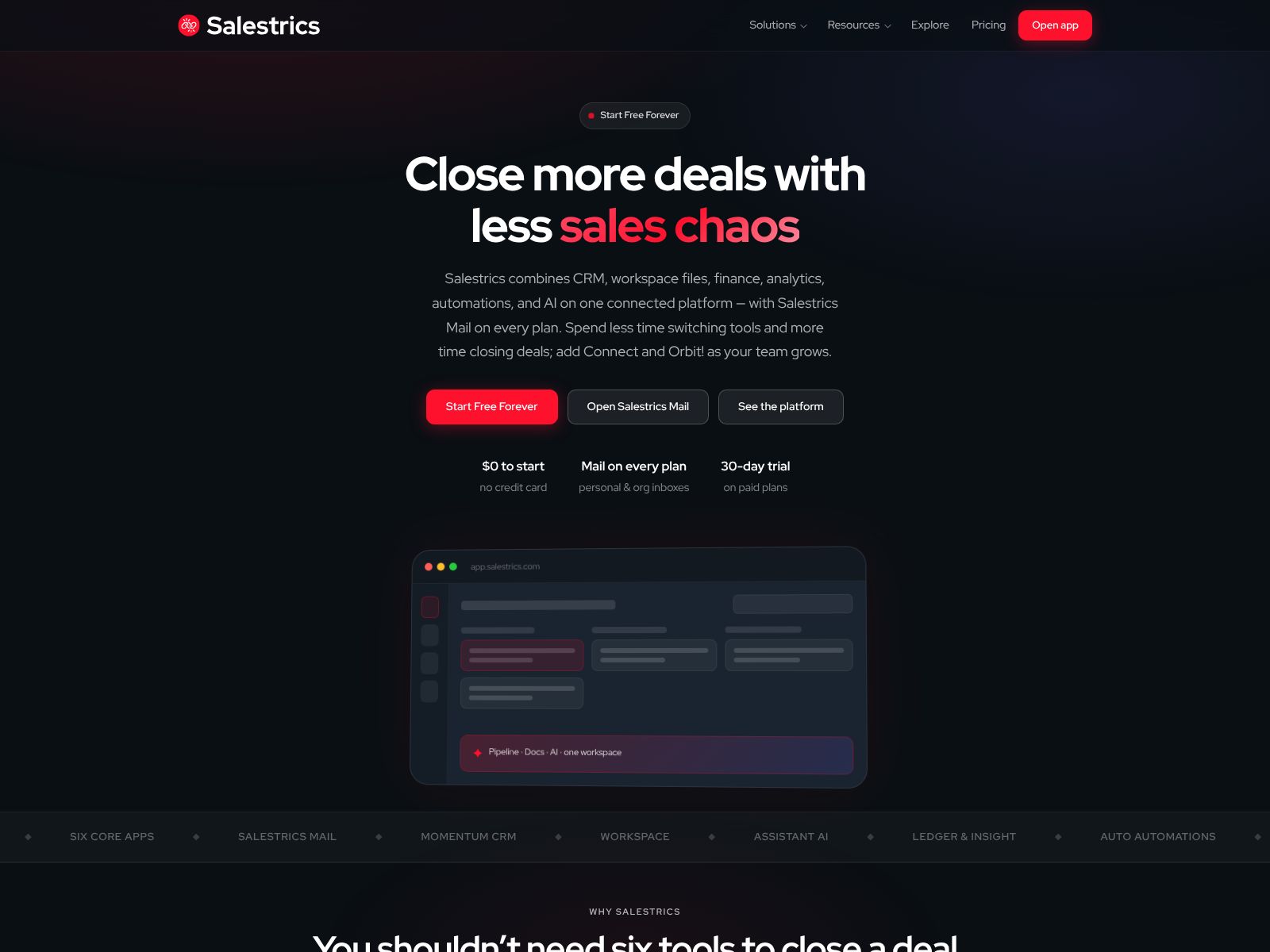
If your team feels stretched thin across too many tools—CRM here, docs there, automations somewhere else—Salestrics is trying to give you your time (and clarity) back. It’s an AI-native revenue workspace that unifies CRM, communication, collaboration, automation, documents, and business operations on one shared platform. Founded in June 2026 by Austin Buhl and currently in Public Beta, Salestrics is built for startups and growing businesses that want to replace a patchwork software stack with a single source of truth. In this review, I’ll walk you through what Salestrics does, where it shines, where you may want to wait, and how it stacks up against popular alternatives.
My goal is to give you a clear, practical view so you can decide if Salestrics is a fit for your team. I’ll keep the jargon to a minimum, call out the benefits and trade-offs in simple terms, and give you a straightforward way to evaluate your next steps.
What does Salestrics do?
Salestrics brings your revenue work into one place so your team can manage customers, communicate, collaborate on documents, automate routine tasks, and run day-to-day operations without switching tools. It’s powered by integrated AI and a shared data model, so context follows you wherever you work—whether you’re updating a deal, drafting an email, or reviewing a plan.
- Manage leads, accounts, and deals in a unified CRM
- Communicate with customers and teammates in one workspace
- Create, share, and organize documents next to your pipeline
- Automate repetitive tasks with workflows and AI assistance
- Coordinate business operations from a single source of truth
Salestrics Features
Because Salestrics aims to replace a fragmented stack, its features cut across the core needs of a go-to-market team. Below, I’ll outline the major pillars and what they mean for your day-to-day work.
1) Unified CRM for a single source of truth
At the center is a modern CRM that tracks people, companies, deals, and activities. Instead of living in a silo, this CRM sits inside the same workspace as your comms, docs, and automations. That means fewer copy-paste chores and a lot less “Where is that info?” hunting. You can expect the basics—pipelines, stages, fields, filters, and notes—along with AI that helps with data hygiene and next steps.
- Pipeline and deal tracking aligned to your process
- Custom fields and views to fit the way your team sells
- Activity timeline so you see the full customer story at a glance
- AI-assisted data cleanup, summaries, and follow-up suggestions
2) Communication that’s connected to your records
Salestrics brings communication into the same place you manage your relationships, so conversations and context live together. The goal is simple: let your team respond faster, avoid context-switching, and cut down on manual updates to the CRM.
- Customer and team conversations connected to the right records
- Centralized activity so everyone sees the same history
- AI summaries to get up to speed quickly
When your communications and CRM share one data layer, you reduce effort and errors. Instead of updating five tools, you work once and everything stays in sync.
3) Collaboration and documents right where the work happens
Docs are often stranded in a separate app. Salestrics flips that by putting lightweight documents and notes in the same workspace as your accounts and deals. Think proposals, onboarding plans, internal playbooks, or meeting notes, all linked to the right records.
- Write and organize docs next to the pipelines and accounts they support
- Share, comment, and collaborate with your team in context
- Keep a library of templates and playbooks for repeatable work
This reduces the “open three tabs to copy one thing” problem and keeps knowledge connected to outcomes.
4) Automation and workflows to remove repetitive tasks
Salestrics includes workflow automation so your team spends less time clicking and more time doing. With a shared data model and AI, you can trigger actions on changes, outcomes, or schedules and let the system do the routine follow-through.
- Automate data updates, task creation, and handoffs
- Use AI to draft messages, summarize calls, and recommend next steps
- Standardize your process with templates and guardrails
Automation works best when it’s close to the data it needs. Because CRM, docs, and communication live together in Salestrics, your automations can execute cleanly with fewer brittle integrations.
5) AI-native experience, not just AI add-ons
Salestrics is built around AI from the ground up. In practice, that means you’ll see assistance threaded across your workflows—summaries, suggested actions, data cleanup, and natural-language search—rather than a single chat box tucked away in the corner.
- Summarize records, conversations, and docs to get context fast
- Generate first drafts for outreach or internal notes
- Turn plain-language requests into filters, reports, and tasks
- Spot patterns and gaps in your pipeline with AI-powered insights
AI won’t replace your judgment, but it will speed up the boring parts and help you move faster with more confidence.
6) Business operations support to run the whole motion
Beyond sales, many teams use a tangle of tools to run customer onboarding, renewals, operations checklists, and internal approvals. Salestrics aims to bring these operational workflows into the same workspace so you can streamline handoffs and track outcomes from a single place.
- Project-style views for onboarding and post-sale workflows
- Task lists and checklists assigned to the right owners
- Linked records so operations stay connected to customer context
Bringing sales and operations together reduces bottlenecks and preserves context across the entire customer lifecycle.
7) Shared data, permissions, and governance
When everyone works in one platform, permissions and structure matter. Salestrics is designed with a shared data layer so information stays consistent across modules. You control who sees what and how data can be changed, with a focus on keeping records clean and secure.
- Role-based access and workspace organization
- Standardized fields and naming so your data stays tidy
- Audit-friendly history of changes and activity
This is key for growing teams: you want speed without chaos.
8) Reporting and visibility without exports
Because your work lives in one place, you can analyze it without exporting to spreadsheets or bolting on dashboards. Salestrics gives you views and reporting that reflect how your team actually works, with AI to help surface trends and exceptions.
- Custom views, filters, and saved dashboards
- Rollups across stages, owners, and segments
- AI insights to highlight blockers or opportunities
9) Getting started and onboarding
As a Public Beta product, Salestrics is focused on quick onboarding and fast iteration. The promise is simple: set up your basics, connect your team, and start consolidating work without a months-long project plan.
- Guided setup to define pipelines, fields, and teams
- Import support for contacts and deals
- Templates for common processes and docs
If you’ve ever dreaded a CRM migration, the idea of a lighter-weight, unified workspace will feel refreshing. Start small, get value in days, and expand as you gain confidence.
Pricing
Salestrics is currently in Public Beta. Pricing has not been broadly publicized at the time of writing, and the team is likely refining plans as they learn from early customers. If you’re evaluating the platform now, here’s how to think about it:
- Clarify your user types: frontline reps, managers, operations, and collaborators may need different levels of access.
- Ask about seat pricing versus usage-based components (e.g., AI features, workflow runs).
- Confirm what’s included out of the box versus paid add-ons.
- Request a beta discount or pilot plan if you’re an early adopter.
The bigger value question is what you can retire if you adopt Salestrics. If it replaces multiple tools—CRM, internal docs, automation, and parts of your communications stack—the total cost of ownership can drop while your team’s speed goes up.
Who is Salestrics for?
While the platform can flex to many types of teams, a few profiles are likely to see the most immediate value:
- Startups formalizing sales and operations for the first time
- Growing businesses frustrated by tool sprawl and data silos
- RevOps and operations leaders who want one source of truth
- Founders and GTM leaders who want more visibility with fewer dashboards
- Services and product-led companies that need sales-to-onboarding continuity
If you’re a very large enterprise with deep customizations across legacy systems, a beta-stage platform may not be a direct swap today. But if you’re nimble and ready to consolidate, Salestrics is worth serious consideration.
Pros and cons
No platform is perfect for everyone. Here’s a balanced view to help you decide.
What you’ll likely love
- Everything in one place. Less context-switching and fewer integration headaches.
- AI baked into the workflow. Practical time-savers instead of novelty features.
- Shared data model. Cleaner records, better handoffs, and clearer reporting.
- Faster onboarding. Start with core workflows and expand only as needed.
What to watch for
- Public Beta maturity. Expect rapid improvements alongside occasional rough edges.
- Depth versus breadth. Unified tools can start broad; confirm the depth your team needs right now.
- Change management. Consolidation simplifies your stack but still requires adoption and training.
Real-world examples of how you could use Salestrics
- Inbound to closed-won: Capture a lead, qualify it, run an outreach sequence, and move it through your pipeline. AI helps summarize calls and draft follow-ups. Your manager sees progress without asking for a manual update.
- Post-sale onboarding: When a deal closes, an onboarding project kicks off automatically with tasks, owners, and timelines. Docs and checklists live alongside the account, so context never gets lost.
- Quarterly planning: Leadership reviews one dashboard with pipeline health, segment performance, and operational blockers. Team members add notes and plans in linked docs right inside the workspace.
- Process improvement: Ops notices deals stall at a certain stage. They adjust the workflow, add required fields, and create a doc template to guide reps. AI suggests better qualification questions based on recent wins.
Salestrics Top Competitors
When you evaluate Salestrics, you’ll likely compare it to established platforms and popular app stacks. Here are the top alternatives and how they differ in approach.
-
HubSpot CRM and Hubs: A leading all-in-one suite for marketing, sales, service, and content. HubSpot excels at polished features and a rich ecosystem. It’s battle-tested and widely adopted, but can get pricey as you scale across multiple hubs. Choose HubSpot if you want an established, integrated suite with deep marketing capabilities and you’re willing to manage licensing complexity.
-
Salesforce (plus Slack and other add-ons): The enterprise standard with vast customization and an enormous marketplace. Salesforce can meet almost any need, but complexity and implementation costs are real. If you require heavy customization and enterprise-grade extensibility, Salesforce is hard to beat. If you prefer a leaner, faster path with less admin overhead, a unified workspace like Salestrics may be more attractive.
-
Zoho One: A broad, cost-effective suite that covers CRM, email, documents, finance, and more. Zoho offers a wide range of apps under one umbrella. It’s compelling for value and coverage, but stitching modules together and keeping UX consistent can require effort. Choose Zoho if you want breadth at a budget-friendly price and can handle configuration.
-
Microsoft Dynamics 365 (with Teams): Strong for organizations embedded in the Microsoft ecosystem. Tight connections to Office, Teams, and Azure are a plus. Dynamics is powerful but can be heavy to implement. It’s a fit if you’re standardized on Microsoft and want enterprise-scale control.
-
Monday.com (Work OS and CRM): Flexible boards and workflows make Monday a popular choice for teams that want visual control and fast iteration. It’s approachable and adaptable, with a fast-improving CRM. If your team values simple, visual project-style workflows, Monday is a strong contender.
-
ClickUp: A work management platform many teams adapt for CRM-like processes. It’s great for tasks, docs, and goals in one place. ClickUp shines for internal coordination; for external-facing CRM depth, you’ll likely add integrations or customize.
-
Freshsales Suite: A clean, affordable CRM with built-in telephony and support options through the Freshworks ecosystem. It’s straightforward and good for SMBs wanting a focused CRM with helpful extras.
-
Pipedrive: A beloved, simple sales CRM with an intuitive pipeline interface. It’s fast and focused. For deeper collaboration, documents, or operations, you’ll add other tools.
-
Notion + Slack + Zapier/Make: The DIY stack that many startups begin with. It’s flexible and affordable, but you’ll spend time wiring things together and dealing with data drift. Salestrics aims to give you Notion-like collaboration and Slack-like communication anchored to a reliable CRM and automation layer.
In short, the alternatives either give you best-of-breed depth with more integration work (Salesforce + Slack + docs + automation) or an all-in-one suite with varying levels of cohesion (HubSpot, Zoho, Monday). Salestrics’ pitch is that a single, AI-native workspace with one data layer can deliver both cohesion and speed without heavyweight setup.
How to choose between Salestrics and the alternatives
Use this simple checklist with your team to make a confident call:
- Map your critical workflows end to end: inbound to close, close to onboarding, onboarding to expansion. Which platform handles the full sequence with the least friction?
- List the tools you could retire. What’s the realistic monthly cost and admin time you’d save by consolidating?
- Score “time to value.” How quickly can you stand up your core pipeline, comms, docs, and automations?
- Check data governance. Can you standardize fields and permissions without wrestling a complex admin console?
- Evaluate AI where it matters. Will it save you time on data hygiene, summaries, drafting, and next actions?
- Consider change management. How hard will adoption be for your reps and ops team?
- Plan for 12 months. Will the platform keep up as your processes mature?
Implementation tips if you try Salestrics
To get the most from a unified workspace, keep your rollout focused and iterative:
- Start with one team or one motion. For example, spin up New Business first, then layer in onboarding.
- Define your minimum viable fields and stages. Don’t over-engineer at the start.
- Create two or three core automations that remove obvious busywork.
- Adopt shared docs for playbooks and meeting notes linked to key records.
- Review weekly: What saved time? What’s clunky? Tweak quickly.
This approach keeps momentum high and ensures the platform molds to your real process, not a theoretical one.
Where Salestrics may not be the right fit—yet
Every tool has boundaries. You may want to wait or run a careful pilot if:
- You’re in a highly regulated environment with specialized compliance and reporting needs.
- Your sales process depends on niche, mature integrations that aren’t available in a beta-stage product.
- You’ve heavily customized a legacy CRM with complex automations and proprietary data models.
- You need global, multi-entity financial operations fully tied into your CRM from day one.
That doesn’t mean Salestrics can’t get there. It just means your bar for readiness is higher, and a phased approach is smarter.
What makes Salestrics different?
Plenty of tools promise “all-in-one.” Here’s what feels distinct about Salestrics’ approach:
- AI at the core, not just a bolt-on. Assistance shows up where work happens.
- One data model across CRM, communication, docs, and operations. Less drift, more clarity.
- Pragmatic scope. It focuses on the jobs revenue teams do every day instead of sprawling into every possible module.
- Public Beta mindset. Expect fast iteration and a willingness to refine the product with you.
Getting help and support
As a Public Beta, Salestrics is likely hands-on with onboarding and feedback. If you want to shape a platform while capturing early advantages, that’s a plus. If you prefer fully mature documentation and a large third-party ecosystem, an incumbent suite might be more comfortable.
Quick FAQ
- Is Salestrics only for sales teams? It’s centered on revenue work but designed to support operations and collaboration across teams.
- Do I need to rip and replace everything? No. You can pilot with a subset of users and workflows, then expand as it proves value.
- Will AI replace my reps? No. It reduces drudgery so your team can focus on conversations, strategy, and judgment.
- How do I evaluate the beta? Pick a clear use case, set a two- to four-week pilot, measure time saved and data quality, and decide with evidence.
Wrapping Up
Salestrics is a fresh take on a long-standing problem: too many tools, too much context-switching, and too little shared context. By unifying CRM, communication, collaboration, automation, documents, and business operations in one AI-native workspace, it gives your team a cleaner way to work—and a single source of truth to align around.
It’s especially promising if you’re a startup or growing business ready to consolidate your stack without spending months on setup. The Public Beta label means you should expect rapid improvements and a few edges. But if the direction matches your needs, the upside is real: less busywork, fewer silos, and faster execution.
Next steps:
- Visit the Salestrics site to request access and see what’s new: salestrics.com
- Choose one workflow to pilot—like New Business or Onboarding—and define success criteria.
- Run a short trial with a small team, measure time-to-value, and expand if it clicks.
If you’re tired of stitching tools together and want a workspace that feels coherent and fast, Salestrics is worth your attention. The vision is clear: one place to run your revenue engine, powered by AI and shared data, so your team can focus on what matters—your customers and your growth.