




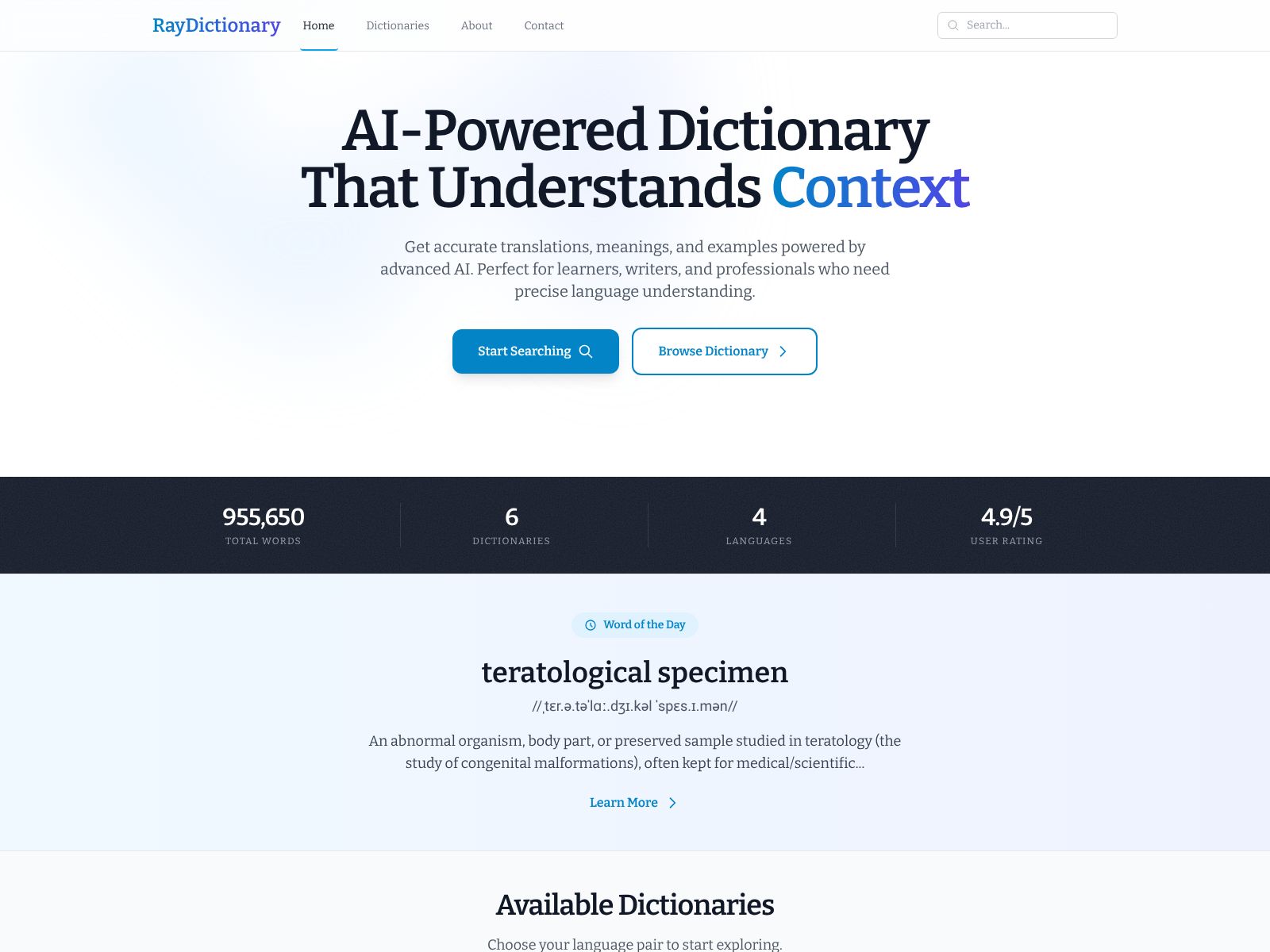
If you spend time reading, writing, translating, or learning languages, you know how often a standard dictionary falls short. You don’t just want a definition. You want the right meaning for your sentence, the nuance that matches your tone, and examples that reflect how people actually use the word today. Ray Dictionary promises exactly that: an AI-powered, context-aware dictionary built for modern language use. In this review, I’ll walk you through what Ray Dictionary is, how it works, the key features that stand out, how to think about pricing, and how it compares to top competitors—so you can quickly decide if it belongs in your daily toolkit.
You can explore the product yourself at raydictionary.com, but if you want a clear, no-jargon overview first, keep reading.
Ray Dictionary is an AI-powered dictionary that gives you the best definition for your specific context. Instead of a long list of possible meanings, it figures out how you’re using a word and highlights the sense, examples, synonyms, and related phrases that fit your sentence. It is designed to be accurate, context-aware, and comprehensive for modern languages.
Here’s what stands out when you use Ray Dictionary day to day.
Standard dictionaries are great reference tools, but they often force you to choose the right sense yourself. Ray Dictionary is different. You can paste a word, phrase, or a full sentence, and the platform uses AI to infer context. It then ranks senses by relevance and surfaces the most likely meaning first. This saves you time and reduces mistakes, especially with words that have multiple meanings or register shifts across fields like tech, law, medicine, and finance.
Good examples make definitions “click.” Ray Dictionary prioritizes examples that feel like real-world usage rather than stiff textbook lines. This is especially helpful if you are learning a language, writing content for a brand, or translating nuanced text where tone and collocations matter.
Not all synonyms are interchangeable. Ray Dictionary groups and labels alternatives by sense and nuance, so you don’t accidentally swap in a word that changes meaning or tone. You’ll also see antonyms and near-synonyms, which helps when you’re searching for the precise shade of meaning.
Fluent writing depends on the words that naturally go together. Ray Dictionary highlights common pairings, phrasal verbs, and fixed expressions linked to your query, helping you sound accurate and native-like.
If you’re learning a language or presenting in public, pronunciation matters. Ray Dictionary surfaces standard pronunciations and phonetic guides to help you speak confidently.
Modern communication is cross-border. Ray Dictionary focuses on contemporary, modern languages and helps you find the best translation or equivalent meaning across languages when needed. This is especially helpful for bilingual writers, translators, and global teams.
Instead of “exact-match or nothing,” search in Ray Dictionary feels like conversation. You can type a partial phrase, misspell a word, or paste a whole paragraph. The platform still finds the best route to a correct, context-aware result.
You’ll often see short, practical notes that explain when to choose one form over another (for example, “affect” vs. “effect,” or when a term sounds too informal for academic writing). These quick pointers are ideal when you’re writing under deadline and can’t afford a deep-dive.
Language changes quickly. Ray Dictionary emphasizes up-to-date usage so you can avoid stale phrasing and outdated definitions. This is valuable for content teams, product marketers, and social media managers who need language that matches how people speak and write now.
If you’re researching a topic or learning a language, you tend to revisit the same cluster of words. Ray Dictionary makes it easy to keep track of what you’ve looked up and what you want to learn next.
You get a lightweight interface that prioritizes reading and comprehension. No clutter, just the information you need to make a good language decision fast. The layout is designed to reduce cognitive load, even when a word has many senses.
Like any AI-powered tool, Ray Dictionary is designed to be precise, but you should still apply judgment on sensitive or specialized topics. The platform aims to provide accurate, context-aware results, but in highly technical or legal writing you may want to cross-check terminology in a discipline-specific source. This balanced approach keeps speed and accuracy aligned with real-world needs.
Ray Dictionary presents itself as a modern, AI-powered platform, and tools in this category commonly offer a mix of free access and paid tiers. At the time of writing, detailed pricing specifics are not listed here. Expect options that may include:
To confirm current pricing, feature differences, and any enterprise options, visit the official site at raydictionary.com. If you’re evaluating for a team, it’s worth checking for billing flexibility, usage analytics, and security documentation.
Every tool has trade-offs. Here’s a practical view to help you decide faster.
No single dictionary serves every scenario perfectly. Here are notable alternatives and how they compare to the context-aware approach of Ray Dictionary.
Merriam-Webster is a trusted, comprehensive American English resource with strong editorial rigor. It’s excellent for stable, canonical definitions and has helpful usage notes. However, it doesn’t center on AI-driven context matching. If you prefer traditional dictionary structure with authoritative guidance, Merriam-Webster is a solid choice. If you want the sense that best fits your sentence without manual sifting, Ray Dictionary’s context-first approach may be faster.
Oxford is renowned for pedagogy and clarity in definitions, especially for learners of English. It provides examples, common errors, and grammar notes. It’s an excellent learning aid. Ray Dictionary, by contrast, is optimized to detect context on the fly and surface the right sense automatically. For everyday writing and nuanced decisions, that can save time.
Cambridge offers clear learner-focused definitions, global English coverage, and many phrase-level entries. It’s trusted for ESL/EFL learning. Ray Dictionary’s edge is AI-driven disambiguation based on your sentence, which can be especially useful when a word is ambiguous or when tone matters.
Collins has modern examples and corpus-informed insights. It’s helpful if you want breadth and a contemporary feel. Ray Dictionary narrows the field faster by ranking senses to match your input context.
Dictionary.com gives quick, accessible definitions; Thesaurus.com is great for brainstorming synonyms. For sense-specific synonym selection, Ray Dictionary helps you avoid wrong substitutions by tying alternatives to your actual usage.
WordReference is a staple for bilingual lookups with active forums where nuanced questions get human answers. If you rely on community insight, it’s invaluable. For fast, AI-guided context matching and consistent formatting, Ray Dictionary is more streamlined; both can complement each other.
Linguee offers translation examples pulled from real texts; DeepL provides high-quality machine translation. They’re great for cross-language tasks. Ray Dictionary focuses on definitions, senses, and usage in a dictionary format, which is often better when you need meaning clarity before translation or when you’re fine-tuning word choice in the target language.
Reverso Context shows real-world examples for translations and phrases. It’s useful for seeing how expressions behave across languages. Ray Dictionary gives you a definition-first, sense-ranked approach with synonyms, usage notes, and collocations—especially helpful if your core need is choosing the right word, not just translating it.
Wordnik aggregates definitions and examples from varied sources. It’s great for discovery and breadth. Ray Dictionary is more focused on decision support: quick, context-aware answers that are easy to apply in your sentence right now.
Urban Dictionary captures slang and internet-native terms rapidly, often with humor and noise. It’s useful for cultural awareness but not always reliable for professional contexts. Ray Dictionary’s modern-language orientation aims for clarity, tone guidance, and professional usability.
These are grammar and style checkers, not dictionaries, but they overlap with word choice advice. You might use them alongside Ray Dictionary: Ray to choose the right word and sense; Grammarly or LanguageTool to check grammar and consistency at the document level.
If you decide to try Ray Dictionary, here are a few ways to get immediate value:
Here are a few quick answers to questions you might have as you evaluate the tool.
Many writers and teams assemble a set of complementary tools. Here’s a simple, effective stack that includes Ray Dictionary:
With this setup, Ray Dictionary is the “pick-the-right-word” layer that prevents subtle meaning errors and makes your writing sound natural.
If you’re deciding for yourself or recommending a tool to your team, use this quick checklist to evaluate Ray Dictionary efficiently:
Ray Dictionary is built for how you actually write and read today. Instead of forcing you to sift through every possible meaning, it uses AI to figure out what you meant—and then gives you the definition, examples, synonyms, and collocations that match your context. If you write professionally, translate, learn languages, or just want to be precise with your words, that context-first approach can save time and prevent embarrassing mistakes.
While traditional dictionaries remain essential references, Ray Dictionary adds a modern, practical layer that helps you choose the right word faster. The result is cleaner prose, clearer communication, and fewer second guesses. If that sounds helpful, try it yourself at raydictionary.com. Start by pasting a sentence you’re working on and see how quickly the right sense appears. For many users, that first “aha” moment is enough to make it part of their daily writing toolkit.
