NOL Card Balance Check Review (Features, Pricing, & Alternatives)
If you rely on Dubai’s public transport, you already know how important it is to keep a healthy balance on your NOL card. A quick balance check can be the difference between gliding through the Metro gates and getting stuck at the turnstile with a queue behind you. That’s where NOL Card Balance Check (checknolbalance.ae) comes in. It’s a simple online tool and guide designed to help you check your NOL card balance instantly—without logins, downloads, or digging through complicated menus.
In this review, I’ll walk you through what the tool does, who it’s for, its best features, how it compares to other ways of checking your NOL card, and practical tips to keep your commute smooth. By the end, you’ll know exactly when to use NOL Card Balance Check, when to go with an official app, and how to avoid unexpected gate rejections and fines.
What does NOL Card Balance Check do?
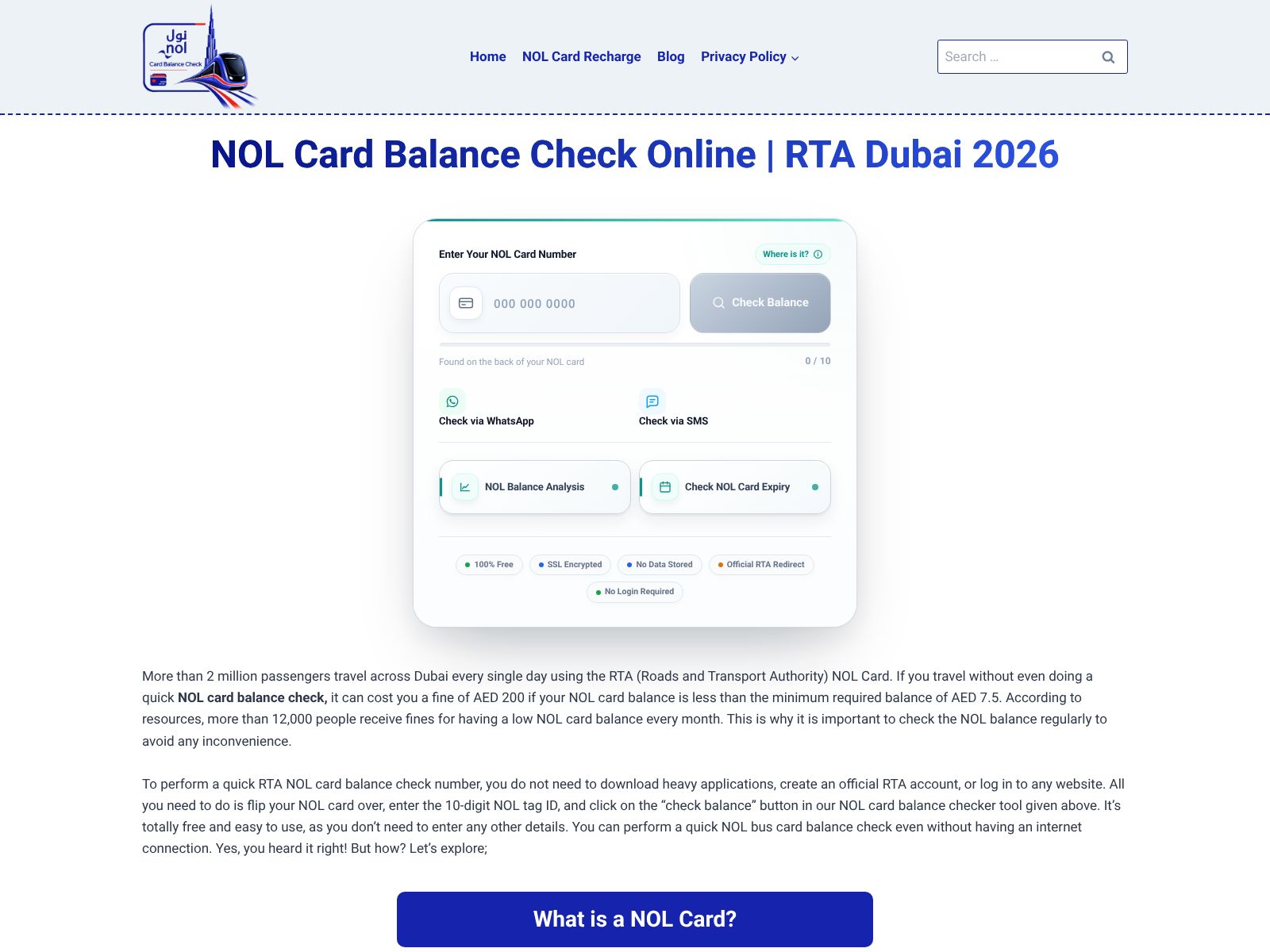
NOL Card Balance Check is a free, independent online resource that lets you enter the 10-digit Tag ID on the back of your NOL card to instantly see your live balance, view card expiry, and check if any “cloud” recharges are pending—without creating an account or installing an app.
Quick start: Check your NOL balance in under 30 seconds
- Find the 10-digit Tag ID printed on the back of your NOL card (Silver, Gold, or Blue). Keep the card handy.
- Visit checknolbalance.ae.
- Enter the Tag ID and submit.
- View your current balance, card expiry date, and any pending top-ups that need a gate or validator tap to apply.
That’s it—no registration, no downloads, and no learning curve.
Who is NOL Card Balance Check best for?
- Daily commuters who want a super-fast balance check before they leave home or office.
- Tourists and first-time visitors who don’t want to install an app for a short trip.
- Shift workers who top up at irregular hours and need to confirm funds quickly.
- Parents or household managers who keep an eye on multiple cards.
- Employers or team leads coordinating staff travel, needing a quick spot check before dispatch.
NOL card basics: Silver, Gold, Blue, and Red Ticket
Dubai’s NOL system supports different cards and tickets, and it helps to know what you’re carrying:
- Silver Card: The standard, cost-effective option used by most residents and commuters.
- Gold Card: Offers access to Gold Class cabins on the Metro and some trams/buses at premium fares.
- Blue Card (Personalized): Registered to you, with added security features and recovery options if lost.
- Red Ticket: A paper ticket typically used by visitors for a limited number of trips or day passes.
NOL Card Balance Check focuses on giving you quick visibility into the essentials for Silver, Gold, and Blue cards. For Red Tickets, features and support are naturally more limited due to how paper tickets work and how balances/trips are stored. If you’re unsure, the site offers guidance on what’s supported and alternative methods to confirm your remaining trips or passes.
NOL Card Balance Check features
Here’s a closer look at what you get when you use NOL Card Balance Check and why these features matter in everyday travel.
1) Instant online lookup via Tag ID
Simply type the 10-digit Tag ID from your card. There’s no need to register, remember passwords, or grant device permissions. If you’re on a shared or work device, skipping account creation is a big plus.
2) Live balance at a glance
See what your card can actually spend right now. This is crucial because Dubai’s system requires a minimum balance of AED 7.50 to start a journey. If you’re sitting at AED 7.00, you’ll be stopped at the gate—even if your trip would cost less. A quick check helps you top up in time and avoid delays and fines.
3) Card expiry date visibility
Nothing is more frustrating than discovering your card expired right before a trip. The tool shows your card’s expiry so you can plan renewals and avoid last-minute scrambles at a vending machine or customer service desk.
4) Pending “cloud” recharges
When you top up online or via compatible apps, the value is usually assigned to your card in the “cloud.” Your card needs a tap at a gate or validator to pull that value down to the card. Until you tap, the site can show a pending status so you know a recent recharge is waiting to be applied. This removes the guessing game: you’ll see whether your top-up is already usable or still needs a tap.
5) Works across popular card types
Whether you use Silver, Gold, or Blue, the lookup is designed to be straightforward. If you manage mixed cards in your family or team, this single-step check saves time.
6) No app install, no NFC required
Not every phone supports NFC, and not everyone wants to download a new app for a short stay. With NOL Card Balance Check, you can use any browser on any device. That’s handy for visitors, temporary phone users, and anyone trying to conserve storage or data.
7) Mobile-friendly, quick experience
The site is easy to use on a phone, which makes it perfect for checking your balance on the go—before you board a bus or enter a Metro station.
8) Practical guides and troubleshooting tips
Beyond the lookup tool, you’ll find straightforward guidance on topics like:
- Minimum balance requirements and why AED 7.50 matters at entry gates.
- How zone-based fares affect final deductions and transfers.
- Differences between Silver, Gold, Blue, and Red Ticket options.
- Online versus station top-up pathways and what to try if a recharge isn’t showing.
These tips are written in plain language, which is refreshing if you’ve ever been lost in technical jargon.
9) Multichannel comparisons
The site also outlines other ways to check balance and recharge: NFC via the NOL Pay app, official web portals, and even offline text messages via 511. You can compare approaches and pick the one that fits your day, your device, and your time constraints.
10) Privacy-friendly by design
You can check your balance without creating an account or storing personal details. Entering only the Tag ID minimizes friction and keeps the process as light as possible. As with any sensitive identifier, avoid sharing your Tag ID publicly or over unsecured channels.
Accuracy, reliability, and what to expect
In everyday use, the balance you see through NOL Card Balance Check reflects what the transit system records for your card’s Tag ID. A couple of notes to keep your expectations realistic:
- Just topped up online? If it shows as “pending,” you likely need to tap an entry/exit gate or bus/tram validator for the value to load to the physical card.
- Very recent trips and transfers may take a short moment to settle. If you just exited the Metro, wait a beat before re-checking your balance.
- If your card has visible wear, damage, or smudged numbers, double-check that the Tag ID you typed matches exactly.
- Still not seeing updates? Try an alternative method (NOL Pay app with NFC, station machine, or SMS 511) as a cross-check and then tap at a validator.
Pricing
- NOL Card Balance Check usage: Free at the time of writing.
- SMS 511 method (alternative): Typically incurs a standard SMS fee via your mobile operator.
- Top-ups: Recharge fees or limits can vary by channel; check the channel you’re using for any costs or caps.
For simple balance checks, the web lookup is a zero-cost, low-friction option you can use in seconds.
Pros and cons
What you’ll like
- Fast, no-login balance checks from any browser.
- Shows key details at a glance: balance, expiry, and pending recharges.
- Useful guidance on card types, fares, and top-up paths without jargon.
- Great for visitors, families, and teams who don’t want to install apps on every device.
What could be better
- Requires the 10-digit Tag ID; smudged or worn cards can cause typing errors.
- Some actions (like loading pending cloud recharges) still require a tap at a gate or validator.
- If you prefer one app that does everything—check, top up, manage cards—you may gravitate to official apps.
Tips for a smooth commute with your NOL card
- Always keep at least AED 7.50 on your card before you set out. This is the minimum to start a journey, even if your final fare is lower.
- Travel often? Consider a habit check: verify your balance each morning or before your evening return.
- Just recharged online? Tap at a gate or validator to load pending funds to your card before you rely on them for a long trip.
- Carry a small buffer. Leaving an extra AED 10–20 prevents surprises if your route changes or you add a detour.
- Keep your card clean and flat. Avoid bending or scratching the area with the Tag ID and chip.
- If you commute in groups (family or team), keep a short list of Tag IDs saved securely so you can check balances quickly when needed.
Top alternatives to NOL Card Balance Check
There are several reliable ways to check your NOL card balance. Here’s how they compare so you can pick the best fit for your situation.
1) NOL Pay app (official, NFC-enabled)
Best for: Users with NFC-enabled phones who want an all-in-one official app for checking balances, topping up, and managing cards.
- Pros: Direct NFC scans of your card, integrated top-ups, trip history, and sometimes promotional features.
- Cons: Requires installation and compatible hardware; not ideal for one-time visitors or low-storage devices.
2) Official web portals
Best for: Users who prefer browsing on desktop or mobile and want an official channel for balance or card details.
- Pros: No app required; managed by the official transit authority.
- Cons: May involve more steps or logins; interfaces can feel complex if you just need a quick check.
3) SMS to 511
Best for: Situations with limited data or older phones where apps and browsers are inconvenient.
- Pros: Works on virtually any phone; no data needed.
- Cons: Standard SMS fees apply; results may not be as detailed; slower than a web lookup.
4) Station ticket vending machines and counters
Best for: Confirming balance and recharging when you’re already at a Metro station or major bus/tram stop.
- Pros: Reliable, official, and can handle larger top-ups than some online channels.
- Cons: Requires you to be on-site; queues can form during rush hours; not ideal for pre-trip checks.
5) Dubai Now and other local service hubs
Best for: Residents who already use centralized city service apps and want to keep everything in one place.
- Pros: Convenient if you already use the app; integrated with other city services.
- Cons: You’ll still need to install and manage an app; interfaces vary and may not be as quick as a single-purpose checker.
NOL Card Balance Check vs. alternatives: When to use which
- Use NOL Card Balance Check when you want the fastest possible check without logins or apps. It’s perfect before you step out the door, during a break at work, or when you’re managing someone else’s card and just need to confirm funds and expiry.
- Use NOL Pay if you prefer a fully integrated, official experience with NFC scanning and in-app top-ups. It’s the go-to if you like one app to do it all.
- Use station machines when you’re already on the move and want to check, top up, and go immediately—especially for larger top-ups.
- Use SMS 511 if your data connection is spotty or you’re using a basic phone that handles text messages better than web browsing.
- Use official web portals if you need to manage registered details, explore official documentation, or prefer to stay inside one ecosystem.
Top-up limits: Online vs. station machines
You’ll often find that online channels place per-transaction or daily caps for security and processing reasons, while station machines can allow higher single top-ups. If you need to add a large amount at once—say you’re preloading for a busy month—doing it at a station vending machine or customer service center may be more efficient. If you only need a small top-up to meet the AED 7.50 entry requirement, online methods or app-based recharges are usually the quickest way to go. Always check the specific channel you’re using for the latest limits and any applicable service fees.
Troubleshooting common issues
- My recent online top-up isn’t showing: Check if it appears as “pending.” If yes, you likely need to tap at a Metro gate, bus, or tram validator to load it to the card.
- I can’t read my Tag ID: Try better lighting or a magnifier. If the number is worn off, consider visiting a customer service center.
- The balance looks lower than I expected: Remember that zone-based fares and transfers can continue to adjust after your last leg. Give it a moment and recheck.
- My Red Ticket won’t display details: Paper tickets have more limited digital visibility. Use station machines or official channels if needed to confirm remaining trips or passes.
- I keep getting rejected at the gate: Ensure your balance is above AED 7.50 before you start a trip. If funds are pending, tap to apply them first.
Who benefits most from NOL Card Balance Check?
- Residents who commute daily and want a no-fuss, pre-commute balance check.
- Freelancers, delivery riders, and shift workers who need late-night confirmations without app installs.
- Visitors staying a few days who don’t want to clutter their phones with local apps.
- Families managing multiple cards—parents can quickly check balances and expiries before a school run or weekend trip.
- Office managers and team leads responsible for ensuring staff cards are ready for travel.
Best practices for privacy and safe usage
- Treat your card’s Tag ID like a sensitive identifier. Don’t post it online or share it in public chats.
- Use trusted networks when checking balances or topping up online.
- If you’re helping someone else, avoid saving their Tag ID on shared devices or browsers unless necessary.
- For personalized Blue cards, consider using official channels for account-level changes or support.
What sets NOL Card Balance Check apart
Two things really stand out. First, speed: you can check and go faster than you can say “where did I leave my wallet?” Second, clarity: the site’s guides are written to explain Dubai’s system in simple terms. It reminds you about the AED 7.50 entry threshold, explains pending cloud recharges, and gives a clear overview of the different card types and travel scenarios. In a world of complex apps and endless menus, that simplicity is refreshing.
Limitations to keep in mind
- If you want to do everything—check, top up, track history, manage multiple registered cards—an official app will probably suit you better.
- For advanced issues (lost cards, refunds, disputes), you’ll need to use official support channels.
- Paper-based Red Tickets may not expose the same data digitally as plastic cards do, so balance/trip checks can be limited outside official machines.
Real-world examples
- The 7:00 a.m. commuter: You’re halfway out the door and can’t recall if you topped up last night. A 10-second check shows AED 6.75. You add funds in the app, see it as pending, tap at the station gate, and get through without delay.
- The team coordinator: You’re sending five staff to a client site. You quickly confirm all their balances from Tag IDs saved in a secure note and remind two of them to top up before leaving.
- The weekend tourist: You’re sharing a phone with limited storage. Instead of installing a new app, you check your balance in the browser, confirm you’re above AED 7.50, and head to the Marina tram without worry.
Frequently asked questions
Do I need to create an account to use NOL Card Balance Check?
No. You enter the 10-digit Tag ID on the back of your card and get your results instantly.
Why does my online top-up say “pending”?
Online or in-app recharges are assigned in the cloud. Tap your card at a gate or validator to load the funds onto the physical card.
Can I check balances for Silver, Gold, and Blue cards?
Yes. These plastic cards are supported for quick balance and expiry lookups. For Red Tickets (paper), use station machines or official channels if the web check is limited.
What’s the minimum balance to start a trip?
AED 7.50 is the commonly required minimum to pass through the entry gate. Keep at least this amount before starting your journey.
Is there a fee to use the site?
NOL Card Balance Check is free to use at the time of writing. SMS-based checks via 511 may incur a standard SMS fee from your operator.
Final verdict
NOL Card Balance Check does exactly what you need it to do, without the extra steps: it gives you a real-time view of your balance, card expiry, and pending recharges in seconds. If you value speed, simplicity, and the freedom to check from any device without installing an app, this tool is a great fit. Pair it with official channels whenever you need NFC scans, detailed trip histories, or large top-ups at station machines.
For commuters who just want to know, “Can I get through the gate right now?” this tool is a no-brainer. Keep the AED 7.50 rule in mind, check your balance before you set out, and tap after online top-ups to activate pending funds. Do that, and you’ll avoid the turnstile shuffle, keep your schedule on track, and travel around Dubai with confidence.
Wrapping up
NOL Card Balance Check is a simple, effective companion for anyone traveling across Dubai’s Metro, buses, trams, and marine transport. It removes the friction from balance checks, brings helpful context about card types and top-up paths, and respects your time with a no-login experience. Whether you’re a resident, a tourist, or managing a team, it’s a fast way to avoid last-minute gate surprises and on-the-spot fines.
Try it here: checknolbalance.ae