Frontpage Review (Features, Pricing, & Alternatives)
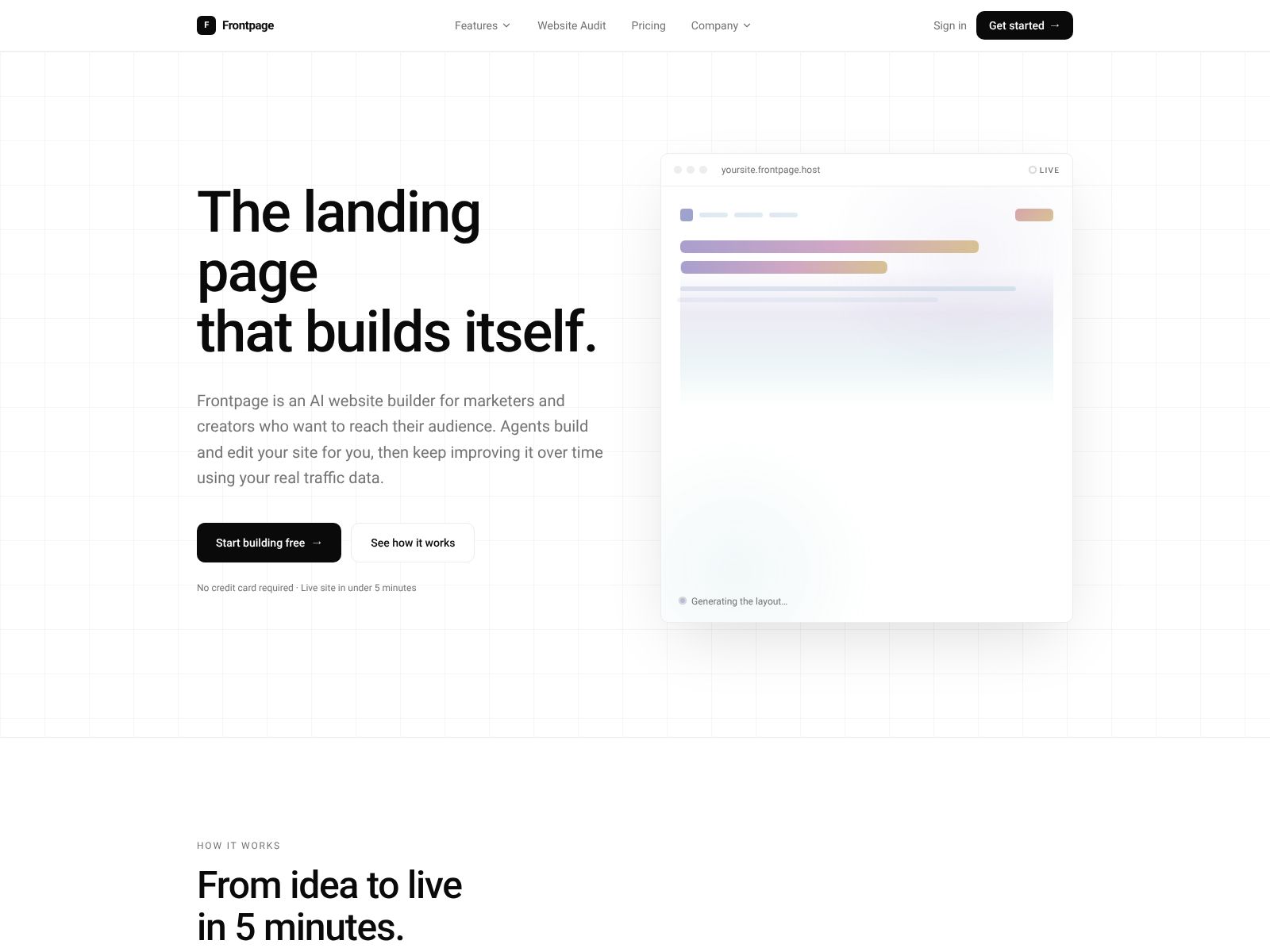
If you want a clean, simple “front page” for your brand, project, or community—something you can launch quickly and share with one link—Frontpage (frontpage.host) is worth a close look. In this review, I’ll walk you through what Frontpage aims to help you do, the kinds of features you should expect, how to think about pricing, and which alternatives to compare it against. My goal is to help you decide if Frontpage fits your needs and how to evaluate it confidently.
One note before we dive in: product details and pricing can change. Treat this as a practical buyer’s guide. For the most current, official information, check the Frontpage site directly.
What does Frontpage do?
Frontpage gives you a hosted way to put your most important information—like links, announcements, launches, or quick summaries—on a single, shareable page without heavy web setup. Think of it as a focused “start here” page for your audience that emphasizes clarity and speed over complexity. You pick a structure, add your essentials, publish, and share one link. It’s built for moments when you want to move fast and make it easy for people to find what matters most.
Depending on your use case, that can look like:
- A simple brand or personal homepage that anchors your online presence
- An event or campaign splash page you can publish in minutes
- A central “link hub” for your product releases, newsletters, or social profiles
- A quick landing page to validate interest or capture signups
Frontpage Features?
When you evaluate Frontpage, here are the capabilities to look for and questions to ask. These reflect what most modern hosted “front page” builders provide and what typically matters for fast, confident publishing.
1) Fast setup and an easy editor
- Template or layout presets so you can start from a proven structure
- Simple content blocks: headings, text, images, buttons, lists, and embeds
- Inline editing and drag-and-drop reordering for quick adjustments
- Instant preview so you always know what will go live
Ask yourself: Can you publish a polished page in under an hour? Could a teammate who isn’t technical do the same?
2) Clean design with guardrails
- Thoughtful typography and spacing out of the box
- Theme controls for colors, fonts, and basic layout choices
- Mobile-first responsiveness that “just works” on phones
You want enough customization to match your brand, without getting lost in a design rabbit hole.
3) Custom domain and SSL
- Connect your own domain (e.g., yourbrand.com)
- Automatic SSL certificates for security and trust
- Redirects from older links when you rebrand or move content
Your audience should be able to reach you at a domain you control, with a lock icon for credibility.
4) Built-in performance and SEO basics
- Fast page load with modern image optimization
- Metadata control (title, description, social sharing images)
- Automatic sitemap and sensible HTML structure
Even a simple front page benefits from quick loading and search-friendly basics. These are foundational, not “advanced SEO.”
5) Analytics and insights
- Traffic overview: visitors, page views, referrers, top links clicked
- GDPR-friendly, privacy-respecting analytics options
- Easy integrations with Google Analytics, Plausible, or similar
You should be able to see whether your front page is working and which links people actually use.
6) Link and block variety
- Standard links, buttons, and “feature” blocks for highlights
- Embeds for video, audio, maps, tweets, and social content
- Contact, subscribe, or waitlist forms
A strong front page gives you enough building blocks to tell a tight story in one place without feeling cramped.
7) Collaboration and publishing workflow
- Team accounts or invited collaborators with clear roles
- Drafts, previews, and scheduled publishing
- Version history or quick rollback for safety
If more than one person contributes content, you’ll want a clean way to approve changes and publish with confidence.
8) Security and reliability
- Managed hosting, DDoS protection, and uptime monitoring
- Privacy controls (page visibility, password protection)
- Backups or export options to avoid lock-in
Trust your page to stay up, stay fast, and stay under your control if your needs change.
9) Integrations that remove friction
- Email capture to your newsletter tool (e.g., Mailchimp, ConvertKit, Beehiiv)
- Calendars, scheduling, or event tools (e.g., Calendly)
- Payment and checkout links (e.g., Stripe Checkout, Gumroad)
- Linking to your social, community, or support destinations
Integrations should streamline what you’re already doing—no complex setup required.
10) Accessibility and internationalization
- Accessible markup and keyboard-friendly navigation
- High-contrast themes and alt text for images
- Support for multiple languages, when relevant
Accessibility isn’t optional; it expands your reach and respects your visitors.
11) Pricing: what to expect and how to estimate
Hosted landing-page and “front page” tools typically price across a few common levers:
- Free plan: A basic page on a subdomain; limited customization or analytics
- Starter tier: Custom domain, fuller design controls, simple analytics
- Pro or Team: Multiple pages/sites, collaboration, advanced analytics, integrations
- Usage add-ons: Extra bandwidth, custom fonts, or higher form submission limits
When you evaluate Frontpage’s pricing, consider:
- How many pages or domains you need today—and in a year
- Whether you need team roles, approval workflows, or SSO
- Whether analytics, forms, or embeds are included or metered
- Any limits on visitors, file sizes, or blocks
- Discounts for annual billing, nonprofits, or startups
Do a quick back-of-the-envelope estimate based on your expected traffic and number of pages. Most teams find that one or two well-scoped plans cover everything for a long time, especially for a single, focused front page.
12) Support and documentation
- Clear, current docs and short “how-to” guides
- Fast, helpful support via email or chat
- Status page for transparency
Even simple tools benefit from good help. Look for a support experience that’s easy to reach and honest about incidents or downtime.
Who Frontpage is best for
- Founders and small teams that need a crisp “start here” page for a product or launch
- Creators and newsletters who want one link that organizes everything they do
- Events, communities, and nonprofits that need a lightweight, low-maintenance hub
- Recruiting and hiring: a careers “front door” with key roles and culture links
- Internal comms: a simple, shareable page for a program, handbook, or onboarding
If your goal is a fast, focused presence—not a complex site—Frontpage fits the moment. If you need tens of pages, gated content, or a deep blog, you might be better served by a fuller site builder or CMS.
Frontpage Top Competitors
When you’re comparing Frontpage to alternatives, think in terms of the job you want the page to do. Below are common competitors grouped by primary emphasis. Each can build a solid “front page,” but they come with different trade-offs.
Ultra-fast landing and “link in bio” builders
- Linktree: Popular and simple for link hubs; lots of templates and social integrations. Best if your primary goal is routing social traffic.
- Carrd: Extremely fast, affordable single-page sites with strong design presets. Great for personal pages, portfolios, and quick launches.
- About.me: Streamlined personal homepages with minimal setup; focused on individuals.
- Koji or Beacons: Creator-focused link hubs with monetization options and social-first blocks.
Design-forward site builders that also do great single pages
- Framer: High-design, responsive sites with smooth interactions; excellent for product marketing pages.
- Webflow: Powerful visual builder with CMS; steeper learning curve but highly customizable.
- Squarespace: Polished templates, easy setup, and an all-in-one platform for small sites and portfolios.
- Typedream or Dorik: Lightweight, modern alternatives that balance ease and customization.
Docs and content hubs that can function as a “front page”
- Notion + Super (or Fruition): Build a Notion page and publish it nicely on a custom domain; great for handbooks and lightweight hubs.
- GitBook: Best if your “front page” anchors developer docs or technical content.
- Read.cv: For personal professional profiles that serve as a lightweight homepage.
Newsletter and audience platforms with hosted pages
- Beehiiv and Substack: Hosted publication homepages with built-in signup and distribution; ideal if email is your core channel.
- ConvertKit Creator Network: Landing pages tied to your email list and creator tools.
Commerce-first options that can serve as a landing hub
- Gumroad: Simple product and checkout pages; can double as a front page for creators selling digital goods.
- Shopify Starter or Linkpop: If selling is your main focus and you want a fast storefront link hub.
How to choose between Frontpage and its competitors
Use this quick checklist:
- Time to publish: Can you go live today or this week without handholding?
- Core block types: Do you have the content blocks you need without workarounds?
- Brand fit: Can you match your visual tone without hiring a designer?
- Ownership: Can you use your own domain, export content, and avoid lock-in?
- Integrations: Does it connect to your email, analytics, and payments cleanly?
- Performance: Is the page fast globally, not just near you?
- Price fit: Does the plan match your current and near-future scale?
- Support: If something breaks before a launch, can you get help quickly?
Pros and cons to weigh
Every focused “front page” tool carries natural trade-offs. Here’s how to think about them as you vet Frontpage:
Potential advantages
- Speed: You can launch something good-looking quickly; less room for procrastination.
- Clarity: Simple page structure forces a tight, effective message.
- Low maintenance: Hosting, SSL, and performance are managed for you.
- Cost control: Usually affordable for individuals and small teams.
Potential limitations
- Scope: Not meant for complex sites, deep navigation, or large content libraries.
- Customization: Guardrails may limit advanced styling or bespoke interactions.
- Extensibility: Fewer plugins or developer hooks than a full CMS or site builder.
If you view your front page as a fast, focused, and reliable “front door,” these trade-offs tend to be strengths rather than downsides.
Practical use cases and examples
- New product launch: Logo, one-liner, key features, CTA button, and waitlist form. Publish fast and refine after feedback.
- Event splash: Dates, venue, agenda highlights, speaker list, and register link—all above the fold with a clean schedule section.
- Creator hub: Top links to your newsletter, YouTube, podcast, and shop; embed your latest video and add a subscribe form.
- Hiring front door: Headline about your mission, benefits summary, top 3 open roles, culture deck link, and how to apply.
- Customer onboarding: A “Start here” page that curates docs, FAQs, and contact options for new users.
In each case, the magic is speed and focus. A front page exists to orient visitors and direct them to the next best step.
Migration tips if you’re switching to Frontpage
- Audit your current “front door”: Which links do people click most? Keep those top and center.
- Trim copy: Short headlines, scannable bullets, and a clear primary CTA beat long paragraphs.
- Prepare assets: Logo SVG, social image (1200×630), and a concise brand palette.
- Decide your domain: Use root (yourbrand.com) or a subdomain (start.yourbrand.com)? Set redirects accordingly.
- Measure: Add analytics on day one and define what “success” looks like (signups, clicks, or time on page).
Security, privacy, and compliance questions to ask
- Data handling: Where is data hosted? How are form submissions stored and secured?
- Compliance: Any commitments for GDPR/CCPA? Data processing agreements available?
- Access control: Can you restrict editing, require 2FA, and review session activity?
- Backups and export: Can you export content and assets? What’s the recovery path?
- Uptime transparency: Is there a status page and a history of incidents?
Even simple pages deserve enterprise-grade thinking if they’re high-visibility or time-sensitive.
Design and content best practices for your front page
- Lead with a strong, concrete headline: Say exactly what you do and for whom.
- Use a single primary CTA: Subscribe, request access, or start a trial—don’t ask for five things at once.
- Show social proof early: Logos, brief testimonials, or key numbers build trust.
- Prioritize scannability: Break text into short blocks with subheads and bullets.
- Mind your hero image: Use purposeful imagery or a short demo GIF; avoid generic stock art.
- Optimize for mobile first: Test tap targets, contrast, and loading time on a mid-tier phone.
- Set up Open Graph/Twitter cards: Your page should look great when pasted in Slack or social DMs.
Measuring success
Define your north-star metric and supporting indicators before launch:
- Acquisition: Visitors, referrers, and conversion to signup or click-through
- Engagement: Scroll depth, time on page, and block-level click rates
- Quality: Email validation rate, spam filtering, and post-click behavior
Set a 30-day check-in to review what’s working and what to simplify. Front pages reward iteration.
FAQ
Is a front page enough for my brand?
If you’re early or consolidating your presence, yes. It’s often better to have one excellent page than a half-built site. As you grow, you can expand into a full site or connect deeper docs and blog content.
Do I need a custom domain?
You’ll look more professional and keep control of your brand with a custom domain. It also makes analytics and link tracking cleaner over time.
What about SEO for a single page?
SEO isn’t just about volume. A fast, focused page with the right keywords, metadata, and backlinks can rank for branded terms and key intents, especially in niches.
How long should my front page be?
Shorter than you think. Aim for one clear fold plus 2–4 focused sections: what it is, who it’s for, why it’s different, and what to do next.
Can I track link clicks and signups?
Most modern tools make this easy through built-in analytics or simple integrations. Set this up on day one so you don’t miss early signals.
When to choose Frontpage vs. a full site builder
- Choose Frontpage if speed, simplicity, and a single link are your priorities—and if you’re happy to keep content concise.
- Choose a full site builder (e.g., Webflow, Squarespace) if you need complex navigation, blog CMS, ecommerce, or heavy customization.
There’s no wrong choice—only what matches your next 6–12 months. Many teams start with a front page and grow into a fuller site later.
How Frontpage might fit into your stack
- Top of funnel: Pair your front page with ads and social to test messaging quickly.
- Email engine: Connect a subscribe form directly to your newsletter platform.
- Link router: Curate your most important destinations and keep them updated.
- Analytics: Use privacy-friendly analytics for fast insights and set up UTM tagging.
A good front page becomes your most reliable link—the thing you put in bios, presentations, and email signatures.
Wrapping Up
Frontpage exists for a very specific, very valuable job: giving you a clear, fast, hosted “front door” that orients visitors and drives the next action. If you want to spend more time refining your message than fiddling with layouts, Frontpage belongs on your shortlist.
Here’s a quick recap to guide your decision:
- Start with goals: What’s the one action you want people to take on your page?
- Check essentials: Custom domain, SSL, analytics, and the core blocks you need.
- Validate performance: Load time, mobile experience, and sharing previews.
- Right-size your plan: Pick pricing that fits your near-term scale and teammates.
- Compare smartly: Line it up against tools like Carrd, Linktree, Framer, Webflow, Squarespace, and Notion-based publishing—then pick the one that best fits your next year, not your hypothetical someday.
If you’re ready to explore, visit Frontpage at frontpage.host, skim their current feature list and pricing, and try a quick draft. Most of the value you’ll get from a front page shows up in the first 24 hours—when you ship something clear, share it confidently, and learn from real visitors. Keep it focused, measure the outcome, and iterate. That’s how a small page can make a big difference.