Foxora Labs Ltd. Review (Features, Pricing, & Alternatives)
If your team is exploring how to put AI agents to work in real operational workflows—on desktops, across web apps, inside cloud services, and even in terminal environments—Foxora Labs Ltd. is building a platform worth your attention. In this review, I’ll walk you through what Foxora does, the features that stand out, how to think about pricing, and which alternatives you might compare it against. By the end, you should have a clear sense of whether Foxora fits your roadmap and how to evaluate it for a pilot.
What does Foxora Labs Ltd. do?
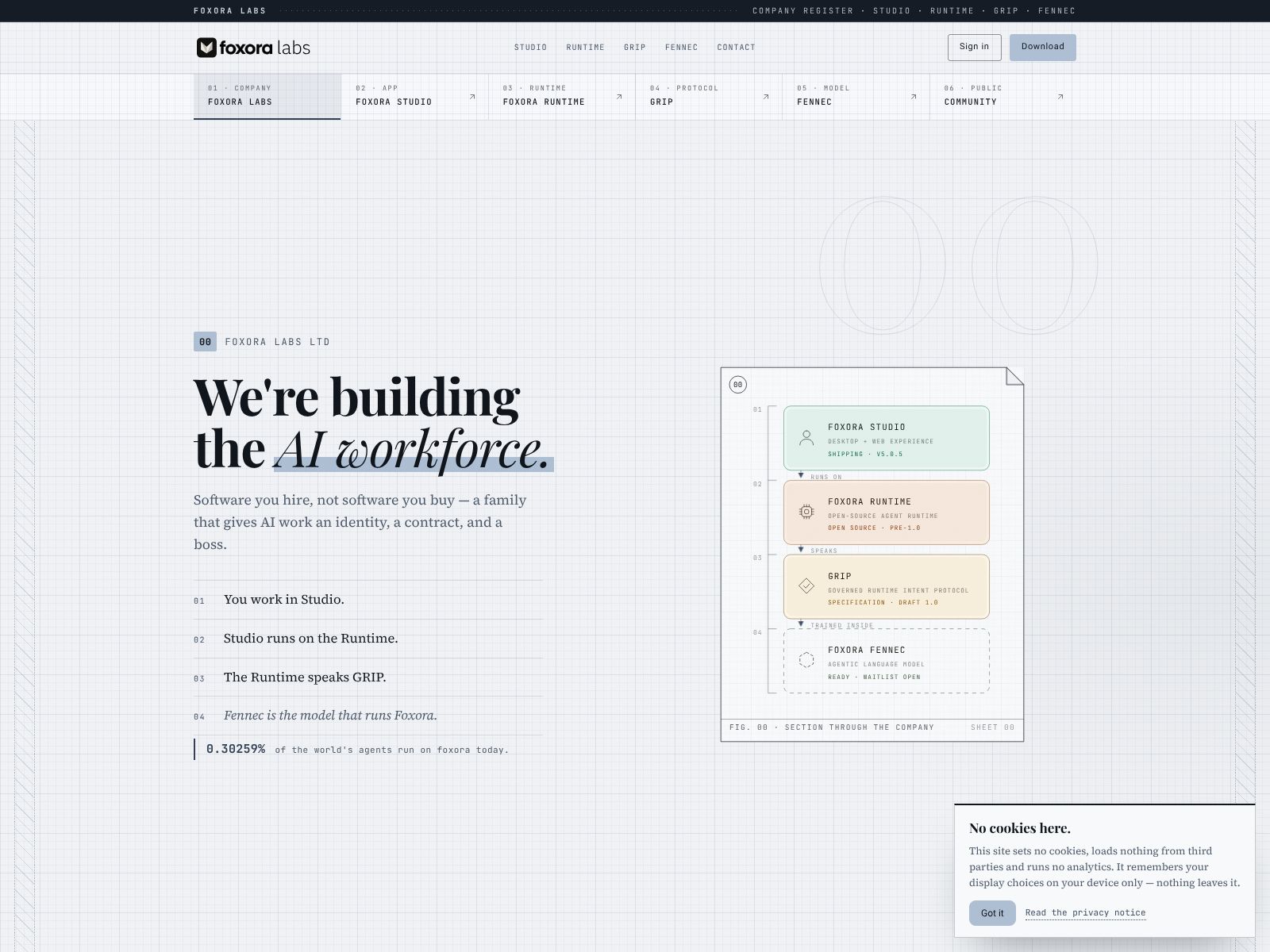
Foxora builds an AI workforce platform that lets you deploy and manage teams of autonomous agents to do real work across your desktop, web apps, cloud systems, and terminal/CLI. Think of it as a control center for AI teammates. You can assign tasks, define what tools and data they’re allowed to use, track everything they do with auditable logs, and give them persistent memory so they learn and improve over time. The goal is simple: help you automate complex, end-to-end processes safely, reliably, and at scale.
Foxora Labs Ltd. Features
Foxora’s pitch centers on one idea: give you a practical, governed way to run agent teams in the places your work actually happens. Below are the capabilities that matter most when you’re deciding if it’s right for your environment.
1) Multi-environment execution: desktop, web, cloud, and terminal
Most teams don’t live entirely in the cloud. You have tasks that happen on laptops, flows that span browser-based tools, internal services that live behind firewalls, and operational runbooks that rely on the command line. Foxora’s platform is designed to meet that reality by coordinating agent actions across:
- Desktop: Automate repetitive, multi-step tasks in native apps or files—such as reconciling spreadsheets, formatting reports, or pulling data from documents—without forcing users to change tools.
- Web: Interact with browser-based apps, navigate forms, gather data, and execute structured sequences across your SaaS stack.
- Cloud: Trigger jobs, call APIs, and connect to data or services running in your infrastructure.
- Terminal/CLI: Execute controlled, permissioned commands for operations tasks and scripted workflows, with a full audit trail.
The key advantage is orchestration: one agent (or a team of agents) can flow across these environments in a single, governed process. That’s how you move beyond demos into production-grade automation.
2) Agent teams with clear roles and collaboration
Foxora emphasizes the idea of agent “teams,” not just single agents. You can create specialized agents with distinct roles—like a researcher, a reviewer, and an executor—and then coordinate them to complete a task with checks and handoffs. This mirrors how your human teams work and helps you control quality by separating concerns:
- Role-based specialization: Have one agent gather information, another verify it, and a third push changes to systems.
- Review gates: Insert human-in-the-loop approvals for critical steps or high-risk actions.
- Task routing: Assign work to the right agent automatically based on skills, tools, and permissions.
When you can split work this way, you get better reliability, clearer guardrails, and a smoother path to scale.
3) Persistent memory for learning and continuity
One of the toughest parts of agent automation is continuity: how do agents remember context from past runs, learn from outcomes, and avoid repeating mistakes? Foxora addresses this with persistent memory. In practice, that means:
- Long-term context: Agents can recall prior tasks, decisions, and artifacts so they don’t start from zero every time.
- Shared knowledge: Teams of agents can access common knowledge relevant to your workflows.
- Incremental improvement: Over time, agents refine how they approach tasks based on successful outcomes and feedback.
Persistent memory makes agent behavior more stable and useful in real environments, especially for multi-step and recurring processes.
4) Governed permissions and safety controls
Powerful automation needs strong controls. Foxora highlights governance as a core pillar so you can deploy agents with confidence:
- Scoped permissions: Grant agents only the specific access they need—per app, dataset, command, or environment.
- Time-bound privileges: Limit access windows for sensitive actions or temporary tasks.
- Human approval flows: Require manual sign-off before high-impact changes or production actions.
- Separation of duties: Keep creation, review, and execution roles distinct for better oversight.
This governance-first posture helps your security, IT, and compliance stakeholders say “yes” to pilots and production deployments.
5) Integrations that connect to your real stack
Agents are only as useful as the tools they can use. Foxora leans on integrations to stitch together desktop software, web-based apps, internal services, and external APIs. You can expect the platform to support:
- Common SaaS tools: CRMs, ticketing, docs, spreadsheets, communication apps, and more.
- APIs and webhooks: Bring your own services into an agent-friendly toolbox.
- Custom tools: Wrap internal logic or scripts as safe, permissioned capabilities agents can call.
The more your core systems are integrated, the more end-to-end value you’ll unlock—especially when workflows span multiple teams and data sources.
6) Auditable execution and observability
One standout promise from Foxora is auditable execution. You get an execution trail for what agents did, when they did it, and why. That typically includes:
- Action logs: Every step agents take, with parameters and outcomes.
- Traceability: Tie results back to prompts, tools, permissions, and approvals.
- Reproducibility: Re-run or simulate steps to debug or verify behavior.
In addition, you should expect operational observability: real-time status, metrics on run success/failure, and alerting for anomalies. This is essential for moving from experiments to steady-state operations.
7) Human-in-the-loop and exception handling
Agents are great at routine, predictable tasks; humans excel at judgment and edge cases. Foxora brings both together by letting you:
- Set review gates: Pause at defined checkpoints for human approval.
- Escalate exceptions: Route ambiguous or high-risk items to a person with context.
- Capture feedback: Feed reviewer notes back into persistent memory to improve future runs.
When you combine autonomy with human oversight, you get higher trust and better outcomes without bottlenecking every task.
8) Workflow design for real business processes
Getting value from agents often comes down to workflow design. Foxora’s platform focuses on chaining steps, coordinating teams, and defining triggers and outcomes. Typical patterns you can enable include:
- Event-driven flows: Kick off agents when tickets open, leads change state, or files arrive.
- Scheduled jobs: Run recurring tasks like reporting, reconciliations, and checks.
- Interactive sessions: Let users hand tasks to agents from a desktop or web interface and stay in the loop.
This flexibility lets you start small with a single use case and scale out to a portfolio of automations as your teams grow confidence.
9) Security posture aligned with enterprise needs
While specifics vary by organization, Foxora’s emphasis on governed permissions and auditable execution aligns well with enterprise expectations. You should evaluate:
- Secrets management: How credentials and tokens are handled and scoped.
- Network controls: How agents access internal resources and how that access is limited.
- Data handling: How sensitive data is used, masked, logged, and retained.
- Change control: How updates to agents and tools are reviewed and approved.
The more your security, risk, and compliance teams are engaged early, the smoother your path to production will be.
10) Example use cases to get you started
To make this concrete, here are scenarios where Foxora’s approach shines:
- Customer operations: Triage support tickets, summarize context from knowledge bases, and update CRM records—spanning web apps and internal tools with reviews.
- Finance back office: Match invoices to POs, reconcile spreadsheets, request approvals, and post results to your ERP with an auditable trail.
- RevOps and sales ops: Clean and enrich leads, validate territories, and orchestrate updates across marketing and sales systems.
- IT and DevOps: Run controlled terminal tasks (like log checks or configuration validations) with strict permissions and human sign-off for changes.
- Data and analytics: Pull data from multiple sources, transform it, and produce recurring reports or dashboards.
- Compliance and QA: Execute repeatable checks, capture evidence, and file results to the right systems with clear traceability.
11) Getting started: a practical rollout plan
If you’re evaluating Foxora, here’s a simple approach to pilot and scale responsibly:
- Pick one valuable, bounded workflow (30–90 minutes of manual effort per run, clear success criteria, measurable KPIs).
- Map the tools involved across desktop, web, cloud, and terminal; identify integrations and permissions needed.
- Design the agent team: roles, steps, review gates, and exception paths.
- Run a limited pilot with a small group of users and a clear feedback loop.
- Measure outcomes (time saved, accuracy, throughput) and iterate on memory and prompts.
- Expand to adjacent workflows once you’re confident in governance and performance.
12) Pricing and total cost of ownership
Pricing details for platforms like Foxora are often tailored to usage, team size, and deployment needs. While specific numbers may not be publicly listed, you can typically expect a mix of platform fees and usage-based components tied to execution volume or compute. As you talk to vendors, consider:
- Scope of deployment: How many agents, environments (desktop/web/cloud/terminal), and users (creators, reviewers, admins)?
- Integrations: Are there extra costs for premium connectors or custom tool support?
- Governance and audit: Are advanced permissioning and audit features included or tiered?
- Support and SLAs: What response times and onboarding help are covered?
- Model and compute costs: If large language models or cloud resources are used, how are those billed?
When you evaluate total cost of ownership, weigh direct fees against productivity gains, error reduction, and the time you’ll save by consolidating orchestration, permissions, and audits in one platform. If pricing isn’t listed publicly, the best next step is to request a demo and share your top workflows so you can get a quote anchored to real usage.
Foxora Labs Ltd. Top Competitors
If you’re surveying the market, here are alternatives to consider. They vary from frameworks to full platforms, and from general-purpose assistants to enterprise automation. Your choice depends on your environment, governance needs, and whether you want open-source flexibility or a managed solution.
-
OpenAI Assistants API and GPTs: A developer-friendly way to build agentic experiences into your apps, with tools, code execution, and retrieval. Great for teams that want to embed assistants in products and can build their own orchestration and governance layers.
-
LangChain Agents + LangGraph: Popular open-source libraries for tool-using agents and multi-agent coordination. Best for engineering teams who want fine-grained control and are comfortable owning infrastructure, observability, and permissioning.
-
LlamaIndex Agents: Retrieval-centric agent tooling with strong knowledge integration. Useful if your automations hinge on structured retrieval and you plan to compose agents around your proprietary data.
-
CrewAI: A Python framework focused on role-based multi-agent teams. Good for experimentation and custom pipelines if you want to assemble a team-of-agents approach without a heavy platform.
-
Microsoft Copilot Studio + Power Automate: Enterprise-grade orchestration across Microsoft 365 and beyond. Strong for organizations standardized on Microsoft, with robust governance and connections into existing identity and compliance programs.
-
UiPath (Autopilot and RPA bots): A leader in desktop and web automation, now enriched with AI. Ideal if your priority is RPA at scale with mature governance, and you want to layer AI on top of robust, proven automation.
-
Automation Anywhere (with AI features): Another RPA mainstay with growing AI capabilities. Good for operations teams looking to expand existing bot fleets with more intelligent decision-making.
-
Zapier (with AI Agents and Interfaces): Easy-to-adopt automation across SaaS apps with AI assistance. Useful for lightweight workflows and business teams, though may require custom workarounds for deep governance or terminal/cloud tasks.
-
Dust.tt: A platform for building agentic workflows and copilots with a focus on developer experience. Fits teams seeking managed hosting plus flexibility for custom logic and data integration.
-
Pipedream (with AI and workflows): Event-driven automations and integrations, with developer-friendly building blocks. Handy when you want code-level control and quick integrations, but you’ll assemble governance yourself.
How does Foxora compare? Its focus on running agent teams across desktop, web, cloud, and terminal—paired with persistent memory, governed permissions, integrations, and auditable execution—positions it as an end-to-end “AI workforce” hub rather than a single framework or narrow bot. If your priority is cross-environment orchestration with strong guardrails and logs, Foxora’s emphasis aligns closely with that need.
Wrapping Up
If you’re serious about putting AI to work in everyday operations, you need more than a smart model. You need agents that can act across your real tools; you need guardrails that security and compliance can trust; and you need visibility into everything that runs. That’s the gap Foxora Labs Ltd. aims to fill with its AI workforce platform.
Here’s a quick way to decide if you should test it:
- Your workflows span desktop apps, web tools, cloud services, and sometimes the terminal.
- You need persistent memory so agents don’t start fresh every time—and you want teams of agents with clear roles.
- Governed permissions and auditable execution are must-haves, not afterthoughts.
- You want to start with a high-impact pilot and scale to a portfolio of automations.
If that sounds like you, consider booking a demo and sharing one or two concrete workflows you’d like to automate. Ask about how Foxora handles permissions in your environment, what integrations are available out of the box, how persistent memory is structured, and what the audit trail looks like in practice. With the right pilot, you’ll know quickly whether Foxora’s approach fits your stack and culture—and whether it can become the control plane for your AI workforce.
To learn more or get started, visit the Foxora Labs Ltd. website at foxora.ai.