


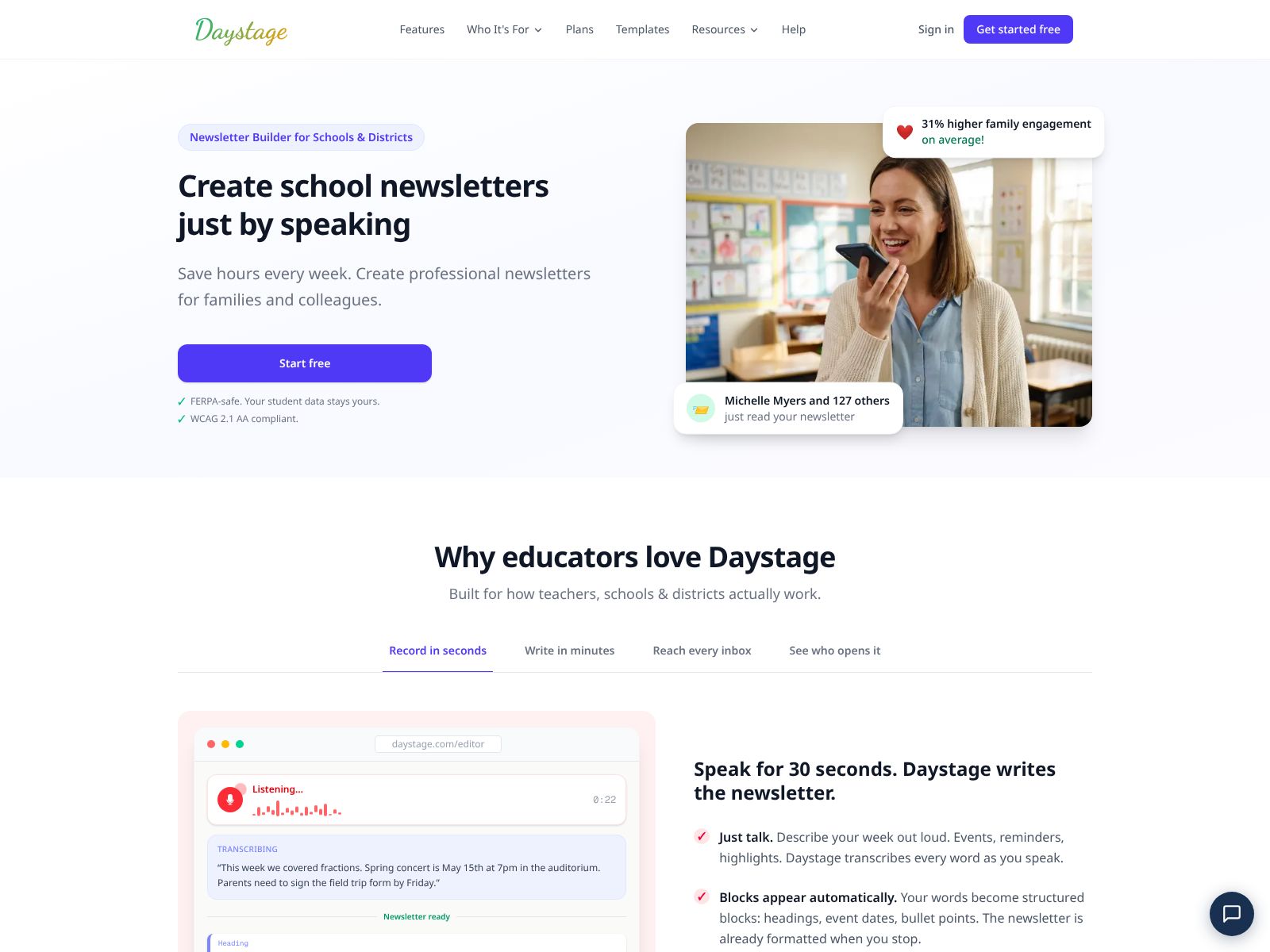
If you’ve ever wished you could create a polished newsletter just by talking through your ideas, Daystage might be the tool you’ve been waiting for. Daystage helps you save hours each week by turning your spoken thoughts into professional newsletters you can share with families, colleagues, and communities. In this review, I’ll walk you through what Daystage does, the features that matter, how pricing works at a high level, and some top competitors to consider alongside it. By the end, you’ll know whether Daystage fits your workflow and how to get started quickly.
Daystage lets you create professional newsletters—simply by speaking. You talk through your updates, stories, or announcements. Daystage then turns your speech into clean, structured content you can review, edit, and share with your audience.
Here’s a clear, practical look at what you can expect from Daystage and how those features translate into real time savings for you and your team.
Why it matters: Most of us think faster than we type. Daystage embraces that. If you’re juggling a busy schedule, this voice-first workflow cuts out hours of drafting time and removes the friction of “starting from zero.”
Why it matters: A good newsletter isn’t just words—it’s how those words are arranged. Daystage takes care of the heavy lifting so your message lands well without you fiddling with formatting.
Why it matters: Many tools over-edit. Daystage aims to support your voice rather than replace it, which helps your newsletters feel consistent over time.
Why it matters: One tool for multiple audiences simplifies your routine. Whether your newsletter is casual or business-ready, Daystage is built to support both.
Why it matters: A great newsletter workflow isn’t just about writing—it’s about getting your message to the right readers with minimal clicks.
Why it matters: The less time you spend on formatting and admin, the more consistent you can be with your communications—weekly, monthly, or ad hoc.
Why it matters: Waiting for the perfect writing window often delays updates. Mobile-first capture removes that bottleneck.
Why it matters: Consistency builds trust. When readers know what to expect, engagement improves and you spend less time reinventing your format.
Why it matters: The best tools get out of your way. Daystage aims to simplify, not complicate, your newsletter process.
Why it matters: Many newsletter platforms are built for broadcasting to strangers. Daystage centers on updates for people you already have relationships with, which calls for a different level of care.
Pricing details can change over time, and Daystage’s site is the best source for the most accurate information. As of this writing, the company positions itself around simplicity and time savings for families and colleagues, which often means straightforward plans without the complexity found in large marketing suites.
Here’s how to think about pricing as you evaluate Daystage for your needs:
Tip: Track your first month of usage—number of newsletters sent and time saved per send—so you can justify the cost clearly to yourself or your team.
If you’re exploring Daystage, you’re likely comparing it to tools for newsletters and team updates. Here are popular alternatives and how they differ from Daystage’s voice-first approach.
What it is: A long-standing email marketing platform with templates, automations, and analytics.
Where it shines: Robust campaign tools, ecommerce integrations, and list management for larger marketing needs.
How it differs from Daystage: Mailchimp is built for marketers; it’s powerful but heavier for everyday family or team updates. It doesn’t focus on voice-to-draft capture.
What it is: A writing and publishing platform for newsletters and paid subscriptions.
Where it shines: Built-in discovery, simple writing experience, easy paid subscriptions for creators.
How it differs from Daystage: Substack is text-first and public-facing. Daystage focuses on private, known audiences and voice-led creation.
What it is: A newsletter platform for growth-focused creators with referral tools and monetization features.
Where it shines: Growth levers, clean editor, audience-building features.
How it differs from Daystage: Beehiiv is optimized for growth and monetization; Daystage is optimized for speed and clarity via voice-to-newsletter.
What it is: An email tool built for creators that emphasizes simplicity and automations.
Where it shines: Tag-based segmentation, automations, and landing pages for creators.
How it differs from Daystage: ConvertKit is great for email marketing flows; Daystage is better for quick, authentic updates crafted by speaking.
What it is: An all-in-one marketing platform with email, SMS, and CRM features.
Where it shines: Multichannel messaging and transactional email capabilities.
How it differs from Daystage: Brevo is a marketing suite; Daystage is a focused newsletter creation tool powered by voice.
What it is: A seasoned email service with strong templates and branding controls.
Where it shines: Professional designs and visual consistency for brands.
How it differs from Daystage: Campaign Monitor is design- and brand-forward; Daystage leans into fast, authentic updates without heavy design setup.
What it is: A publishing platform for blogs and newsletters with memberships and subscriptions.
Where it shines: Own-your-platform simplicity for long-form writing plus email distribution.
How it differs from Daystage: Ghost is ideal for writers and media sites; Daystage is ideal for voice-led, frequent updates to people you already know.
What it is: A minimalist newsletter tool for writers who want control without bloat.
Where it shines: Simplicity and a clean writing experience.
How it differs from Daystage: Buttondown focuses on text-first drafting; Daystage removes typing friction with voice capture and assisted structuring.
Daystage is a refreshing take on newsletters because it starts where your ideas start: in your voice. By letting you talk through your updates and turning that into a polished, readable newsletter, Daystage cuts out the most time-consuming parts of the process—staring at a blank page, wrestling with structure, and fussing over formatting.
Where it shines most is in everyday communication with people you know and trust. Weekly team updates, monthly family letters, school or club bulletins—these are all perfect fits. If you lead a team or run a community, Daystage helps you stay consistent without spending your evenings typing. If you want to keep loved ones in the loop without defaulting to social media, it gives you a private, thoughtful channel that reads like you.
If you’re shopping for a powerful marketing platform with deep automations and growth tools, you may still need a traditional email service. But if your primary goal is to communicate clearly and consistently—faster—Daystage stands out.
Here’s a simple next step to try: the next time you’re about to write an update, don’t open a doc. Open Daystage, hit record, and talk through your week as if you’re explaining it to a friend. Let Daystage turn that into your first draft. Give it a quick edit, add a heading or two, and send. You might be surprised just how much easier your newsletter routine becomes.
To learn more or get started, head to daystage.com. If saving a few hours every week sounds appealing—and you want your newsletters to sound like you—Daystage is well worth a try.
