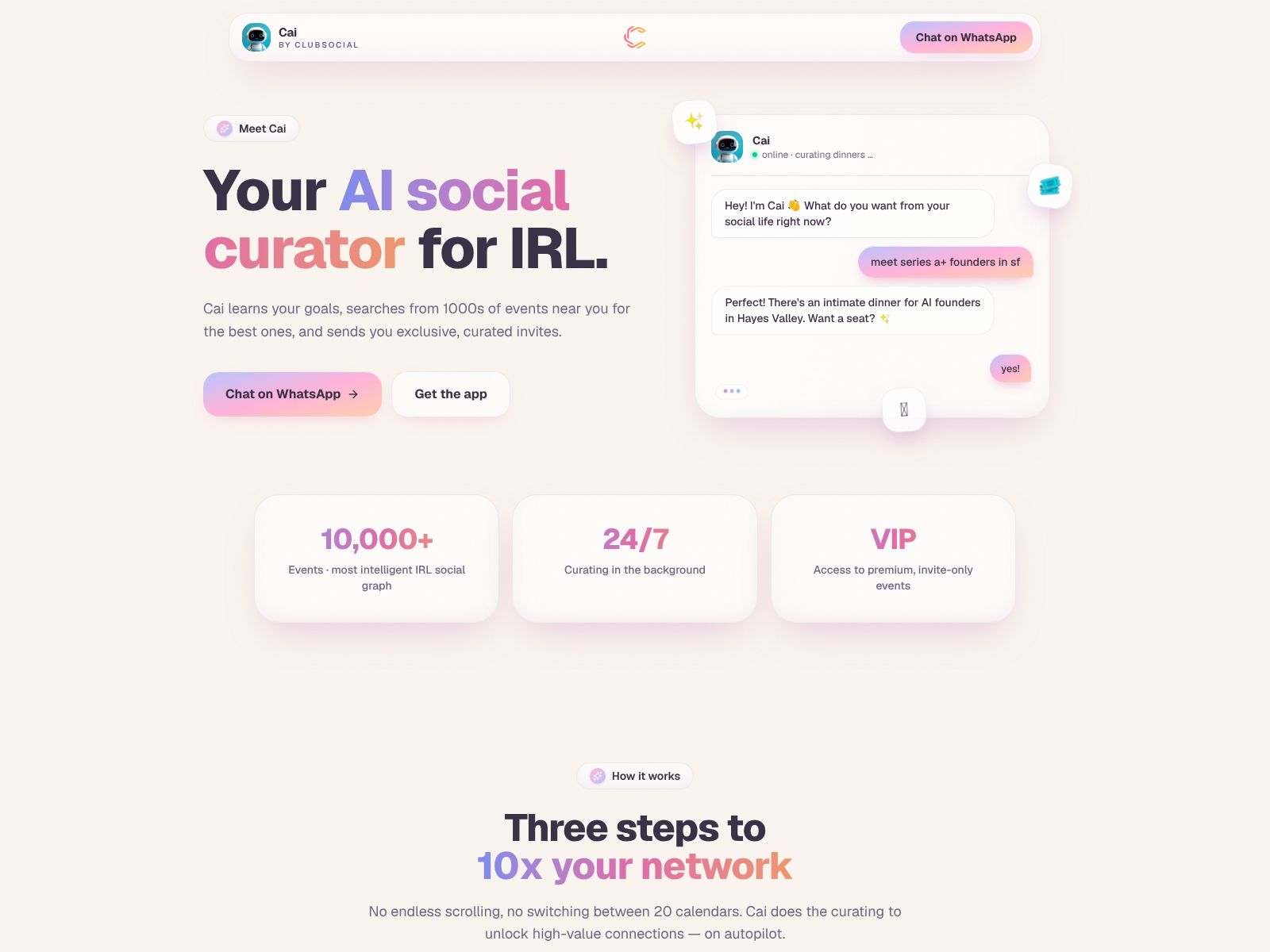
Clubsocial Review & Overview
If you’re trying to publish more high‑quality social content with less effort, you’ve probably noticed how much time disappears into brainstorming ideas, drafting posts, repurposing long‑form material, and keeping everything organized across platforms. Clubsocial aims to simplify that. In this review, I’ll walk you through what Clubsocial does, where it shines, where it may not fit every team, how its features come together in real‑world workflows, what to expect on pricing at a high level, and which alternatives to consider. By the end, you should have a clear sense of whether Clubsocial fits your needs and how to get value from it quickly.
What does Clubsocial do?
Clubsocial is an AI‑assisted social media tool that helps you plan, create, and schedule posts across your social channels. It uses AI to draft content, repurpose existing material, and keep your publishing calendar organized so you can ship more consistently with fewer manual steps.
Who is Clubsocial best for?
- Solo creators and consultants who want to post more often without spending all day writing.
- Small marketing teams that need a clean, collaborative workflow for content ideation, approvals, and scheduled publishing.
- Brands with a steady stream of videos, podcasts, blogs, or newsletters who want to turn long‑form content into bite‑sized social posts.
- Founders and subject‑matter experts who prefer to outline or speak ideas, then have AI turn them into on‑brand posts.
Clubsocial Features
Below is a practical tour of the capabilities you’ll likely rely on most. Think of this as a workflow from idea to published post, with feedback loops for improvement.
1) AI content creation and ideation
Blank pages are costly. Clubsocial’s core value is using AI to help you get past that first step quickly, then iterate to a final draft that sounds like you. In typical use, you can provide a prompt, paste a link, drop in notes, or pull from a transcript, and the tool will generate multiple versions of a post. You can ask for alternatives, edit directly, and save the best ones to your queue. The idea is speed without sacrificing your voice.
- Turn bullet points into full posts in a few clicks.
- Ask for variations tailored to different platforms and lengths.
- Get suggestions for hooks, CTAs, and hashtags to improve reach.
2) Content repurposing from long‑form
If you create podcasts, YouTube videos, webinars, blog posts, or newsletters, Clubsocial can help you turn that long‑form content into a week or month’s worth of social posts. Instead of manually pulling quotes and rewriting summaries, you feed the source, then select the strongest snippets the AI surfaces.
- Extract key insights, quotes, and takeaways as short posts or threads.
- Generate platform‑specific captions for short‑form clips you plan to publish.
- Build a repeatable process that turns every new piece of content into a full social set.
3) Brand voice and style guidance
Consistency matters as your team grows. Clubsocial typically lets you define a brand voice and style guidelines so AI outputs stay aligned. Even if you prefer to edit by hand, having a default tone—friendly, expert, playful, concise—speeds review and helps your audience recognize your brand instantly.
- Save voice presets for different campaigns or product lines.
- Lock in rules for formatting, emojis, links, and compliance language.
- Keep tone steady across teammates, freelancers, and guest posters.
4) Scheduling and editorial calendar
Once posts are drafted, you need a simple way to plan, visualize, and publish them. A calendar view helps you see what’s going out where, find gaps, and keep cadence predictable. Drag‑and‑drop edits, queues, and best‑time recommendations (when available) reduce manual coordination.
- Plan campaigns over weeks or months without spreadsheet chaos.
- Balance content types (educational, promotional, community) at a glance.
- Queue evergreen posts to recycle your best content over time.
5) Collaboration and approvals
If you work with a team, you’ll want clean handoffs. Clubsocial supports basic collaboration so creators, editors, and stakeholders can comment, suggest edits, and approve posts before they go live. That reduces last‑minute Slack messages and “which version is final?” confusion.
- Assign statuses like Draft, In Review, Approved, Scheduled.
- Keep feedback in context instead of scattered across threads.
- Protect publishing permissions to avoid accidental posts.
6) Asset management
Images, short clips, and templates can live in one place. Having a light, organized library attached to your drafting and scheduling steps keeps everything moving. Tagging and folders help you reuse evergreen assets without digging through drives.
- Save brand visuals, logo variations, and reusable templates.
- Attach assets to posts without repeated uploads.
- Track which assets perform best for smarter reuse.
7) Analytics and improvement loops
The best social programs iterate constantly. While every platform has native analytics, it helps to see a simple cross‑channel picture so you can spot what’s working. Clubsocial aims to give you an overview—enough to inform your next month’s plan—without requiring a separate analytics suite.
- Review engagement patterns by topic, format, and timing.
- Identify high‑performing posts to repurpose or expand into long‑form.
- Benchmark cadence and consistency against your own history.
8) Integrations and workflow automation
Social tools are most useful when they fit your stack. Expect standard social platform connections for scheduling and publishing, and look for integrations (native or through connectors) with tools you already use. Even simple automations can save hours a week.
- Pull content ideas from your CMS, docs, or transcripts.
- Send published URLs to a tracker or reporting sheet automatically.
- Route drafts into an approval queue for specific stakeholders.
Tip: Before onboarding, list where your content currently lives and where it needs to go. Map the steps you repeat often, then configure Clubsocial to remove the clicks between them.
9) Governance, privacy, and brand safety
If you work in a regulated space or with multiple brands, you’ll care about controls. While details vary by plan and product evolution, consider the following when you evaluate:
- Role‑based permissions for drafting, editing, and publishing.
- Auditability of changes and approvals.
- Clear guidance on data handling for AI features and connected accounts.
If these topics are critical to your team, confirm the latest policies and options directly with Clubsocial before rollout.
10) Onboarding and support
Adoption matters as much as features. A good first week might look like this:
- Connect the 1–3 social accounts you use most.
- Import one recent blog post or video and generate 5–10 posts.
- Define a brand voice preset and save two post templates you like.
- Schedule a light two‑week calendar and set up approvals.
- Review results, then refine prompts and templates for month two.
Look for help docs, examples, and responsive support so your team gets to “first value” fast.
Pricing (what to expect)
Social and AI tools typically price by a mix of users, connected social profiles, and monthly post volume. Some also differentiate by features such as advanced analytics, brand voice customization, or approvals. While specific pricing and plans can change, you can use these guidelines to choose well:
- Starter or Creator plans: Best for individuals or small teams who need core AI drafting and scheduling for a handful of accounts.
- Team or Growth plans: Add collaboration, approvals, more profiles, larger queues, and workflow automations.
- Business or Agency plans: Higher limits, multiple workspaces/brands, enhanced analytics, roles/permissions, and priority support.
Advice for budgeting:
- Estimate monthly post volume realistically; overbuying capacity adds cost without value.
- Count social profiles you’ll actively publish to, not every dormant account.
- Pilot with one team for 30 days; scale seats only after you confirm adoption.
For the latest plan details and any free trials or annual discounts, check the Clubsocial website directly at clubsocial.ai.
Strengths and limitations
No tool is perfect, and clarity beats hype. Here’s a balanced summary to help you decide quickly.
Where Clubsocial tends to shine
- Saves time on first drafts and ideation so you can focus on strategy and editing.
- Turns long‑form content into consistent social output, reducing production bottlenecks.
- Keeps a clean, simple workflow for drafting, reviewing, and scheduling.
- Helps small teams punch above their weight without stitching together multiple tools.
Potential tradeoffs to consider
- AI outputs still benefit from human editing to ensure accuracy, nuance, and brand fit.
- Deep enterprise needs (complex permissions, advanced listening, or custom analytics) may require pairing with specialized tools.
- If your social strategy is heavily video‑led with advanced editing, you may still want a dedicated video suite alongside Clubsocial.
Real‑world workflows you can run in Clubsocial
To make this practical, here are three common scenarios and how Clubsocial can streamline them.
1) Weekly thought leadership from a founder or expert
- Record a 10‑minute voice note on a key topic or paste quick bullet points.
- Generate 3–5 posts in your brand voice, each with different hooks.
- Pick the best two, edit for clarity, and schedule at your usual times.
- Repurpose the remaining drafts into a LinkedIn article or newsletter intro.
2) Repurpose a podcast episode
- Import the episode summary or transcript.
- Pull 10 quotes or insights as short posts with simple CTAs.
- Attach a related clip or audiogram to 2–3 posts for variety.
- Spread the posts over two weeks, then recycle the top performers later.
3) Product launch campaign
- Create a theme and voice preset for the launch.
- Draft an announcement post, a behind‑the‑scenes story, three educational posts, and one customer spotlight.
- Route drafts through approvals, lock final assets, and schedule the full sequence.
- After launch, review performance and tag the winners for evergreen reuse.
How Clubsocial fits alongside your stack
Marketing teams rarely use a single tool. Here’s a simple way to position Clubsocial so it plays nicely with everything else:
- Strategy and briefs: Docs or Notion → feed summaries to Clubsocial for drafts.
- Long‑form creation: CMS, YouTube, podcast host → repurpose into social sets.
- Asset production: Design and video tools → store final assets in Clubsocial’s library for quick attachment.
- Publishing: Use Clubsocial for scheduling and queues; double‑check key posts natively when needed.
- Reporting: Snapshot in Clubsocial; export highlights to your BI or slide deck monthly.
Clubsocial Top Competitors
If you’re evaluating the landscape, these tools frequently appear on the same shortlist. Your best choice depends on whether you value AI drafting, scheduling depth, analytics, or collaboration most.
- Buffer: Known for simple, reliable scheduling and a friendly UX. It has lightweight AI assistance and clear analytics. Great for small teams who want ease over complexity.
- Hootsuite: A veteran platform with broad features including publishing, monitoring, and team management. Strong for larger organizations that need scale, though it can feel heavy for small teams.
- Sprout Social: Emphasizes analytics, engagement inbox, and collaboration. Excellent reporting and team workflows; pricier and more enterprise‑oriented.
- Later: Popular with visually led brands. Strong media planning for Instagram and TikTok; good link‑in‑bio features and visual calendar.
- Loomly: Focused on collaboration and approvals with a straightforward calendar. Solid balance for SMEs that want structure without bloat.
- SocialBee: Known for evergreen content queues and category‑based scheduling. Helpful for maintaining a consistent multi‑topic cadence.
- Metricool: Combines publishing, analytics, and ads reporting with a generous feature set for the price. Good for data‑minded marketers.
- Publer: Affordable scheduler with bulk features and a growing toolset. A fit for freelancers or small teams on a budget.
- Jasper / Copy.ai: AI writing assistants rather than schedulers. Pair one with a scheduling tool if you need heavy content generation.
- Ocoya / Predis.ai: AI‑first social tools that combine post generation with scheduling and basic visuals; good alternatives if AI ideation is your main need.
- Descript / OpusClip (complementary): Not schedulers, but excellent for turning long videos into short clips, which you can then publish via your social tool of choice.
When to pick Clubsocial over these
- You want a clean, AI‑assisted workflow to go from idea → draft → calendar fast.
- You repurpose long‑form content often and need repeatable outputs in your voice.
- You prefer a focused tool for content creation and publishing rather than a full enterprise suite.
When a competitor might fit better
- You require deep social listening, complex engagement routing, or enterprise reporting (consider Sprout Social or Hootsuite).
- Your strategy is primarily visual commerce and Instagram/TikTok‑led (consider Later).
- You already love your scheduler and just want an AI writing sidekick (consider Jasper or Copy.ai with your existing tool).
Prompts and templates to start fast
If you adopt Clubsocial, the prompts you use shape the quality of your outputs. Here are simple, reusable patterns you can save as templates inside your workspace.
- Hook + Value + CTA: “Write a concise LinkedIn post in a friendly expert tone. Start with a 1‑sentence hook about [problem]. Give 3 actionable steps. End with a question inviting replies. Keep under 180 words.”
- Long‑form to thread: “Turn this blog post into a 6‑tweet thread. Each tweet has 1 idea, a short example, and no fluff. Include 1 relevant hashtag max. Avoid emojis.”
- Podcast quote set: “From this transcript, extract 8 punchy quotes (under 20 words). For each, write a platform‑specific caption option and a short CTA to listen full episode.”
- Educational carousel: “Summarize these notes into 5 slide captions: Slide 1 hook, Slides 2–4 key insights, Slide 5 takeaway. Keep lines short for readability.”
- Brand voice alignment: “Rewrite this draft in our brand voice: [voice description]. Maintain factual accuracy, keep it concise, and remove jargon.”
Common mistakes to avoid
- Posting before fact‑checking: AI can misinterpret sources. Always verify claims, data, and names before publishing.
- One‑size‑fits‑all captions: Trim or expand drafts per platform. What works on LinkedIn may flop on X or Instagram.
- Over‑automation: Schedules are great, but engagement is human. Set aside time daily to reply and join conversations.
- Ignoring performance signals: Use analytics to double down on what resonates and retire what doesn’t.
- Skipping brand voice setup: A few minutes defining your tone will save hours of editing later.
Implementation checklist
Here’s a quick checklist to get Clubsocial into motion within a week:
- Day 1: Connect 2–3 priority social accounts and set your brand voice preset.
- Day 2: Import one recent long‑form piece; generate 10 post ideas; pick the best 5.
- Day 3: Create two evergreen categories (Education, Customer Stories) and queue 4 posts.
- Day 4: Build a two‑week calendar; set posting times; assign approvals.
- Day 5: Publish 2 posts; monitor engagement; capture comments as future content seeds.
- Day 6–7: Review analytics; tag top performers; refine prompts and templates.
FAQ
Does Clubsocial replace a full social suite?
Not necessarily. It focuses on content creation and publishing. If you need advanced listening, community management, or enterprise reporting, you may still pair it with specialized tools.
Can I rely on AI drafts without editing?
You’ll get speed and solid first passes, but human review remains essential for accuracy, nuance, and brand alignment.
Is it good for agencies?
Agencies can benefit from faster production and approvals, especially if you manage multiple brands. Confirm workspace separation, permissions, and plan limits for your use case.
What about compliance‑sensitive industries?
You’ll want clear approval flows, auditability, and guidance on data handling. Review the latest documentation from Clubsocial and run a pilot with your compliance team.
Wrapping Up
Clubsocial is built for one thing most teams need right now: publishing more, better social content with less effort. It shines when you want to move from scattered ideas to scheduled posts quickly, especially if you already produce long‑form content that can be repurposed. You get AI assistance to clear the blank page, a straightforward calendar to keep cadence, and enough collaboration to keep your internal process on track.
If your priorities include heavy social listening, complex engagement routing, or enterprise‑grade reporting, you might supplement Clubsocial or choose a fuller suite. But for creators, small teams, and growing brands that value speed, clarity, and consistency, it’s an appealing option.
Next steps:
- List your top 3 social goals for the next 90 days (e.g., consistency, lead gen, event promotion).
- Pick one long‑form piece and turn it into a two‑week content set in Clubsocial.
- Define your brand voice preset and save two prompt templates you’ll reuse.
- Review results after 14 days and iterate your calendar based on what performs.
If that test leaves you with more quality content, less stress, and a clearer plan, you’ve found your tool. To explore current features and plans, visit clubsocial.ai and see how it fits your workflow.