




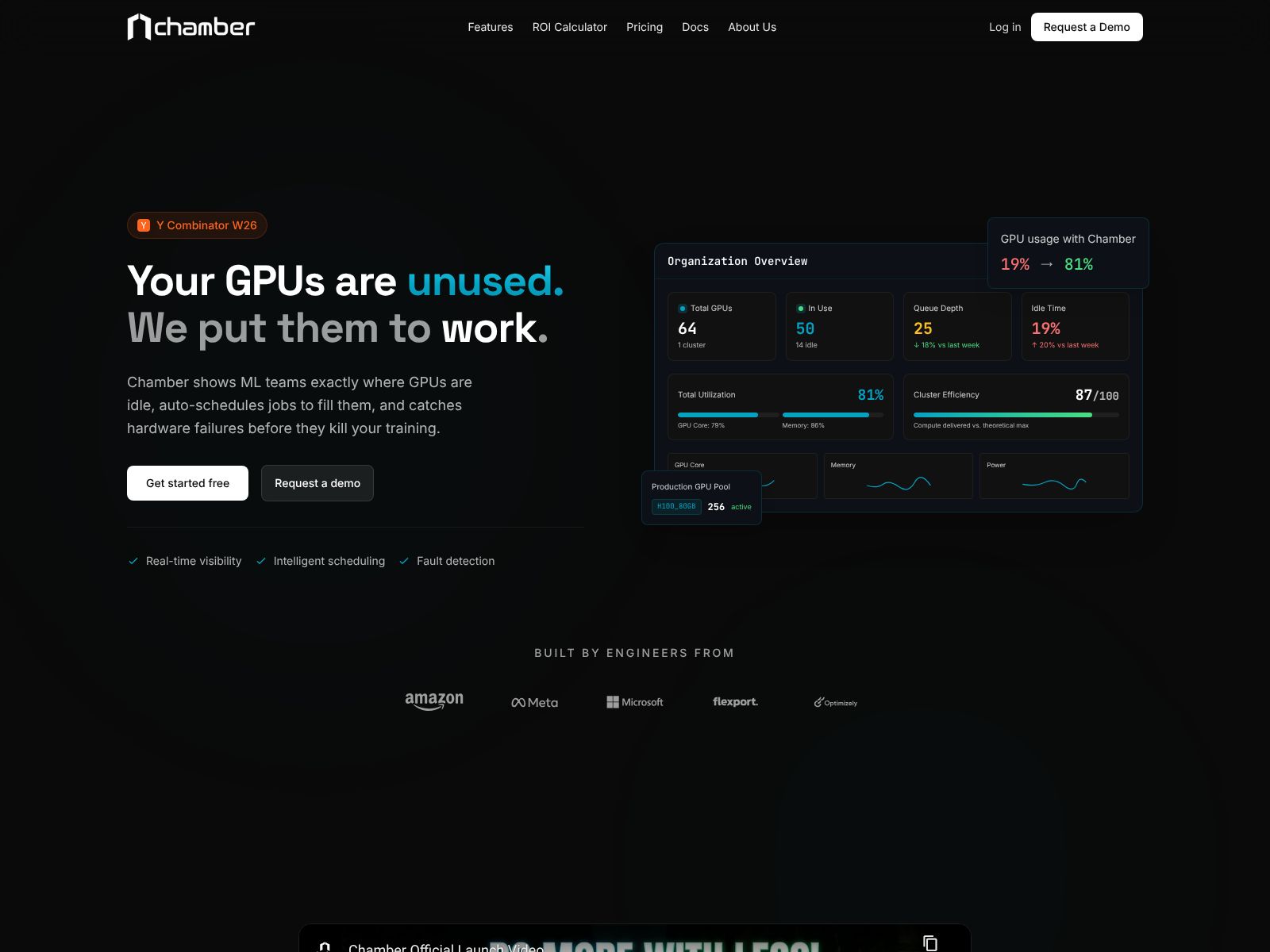
If your team is pushing hard on AI and feeling the squeeze on GPUs, you’re not alone. Most organizations hit the same wall: jobs wait in queues, costs creep up, and engineers spend too much time babysitting clusters instead of shipping models. Chamber aims to change that. It puts your AI infrastructure on autopilot so you can run more work on the same hardware with less manual effort. In this review and overview, you’ll learn what Chamber does, how it works at a high level, where it fits, what to compare it against, and how to think about pricing and ROI for your team.
Chamber’s pitch is simple: it monitors your GPU clusters, predicts demand, finds unhealthy nodes, and reallocates resources in real time to keep throughput high. According to the company, teams can run roughly 50% more workloads on the same GPUs, while infra waste drops and bottlenecks fade. If you’ve been struggling with GPU scarcity or underutilization, that claim will get your attention.
Chamber helps you run more AI jobs on the same GPUs by automatically watching your GPU clusters, predicting demand, spotting problems, and moving resources to where they’re needed most. It’s like an autonomous infrastructure team that keeps everything optimized in the background.
Chamber is built to orchestrate, govern, and optimize your AI infrastructure end to end. Below is a clear, non-jargony breakdown of what that looks like in practice and why it matters to your team.
Chamber continuously monitors your GPU clusters and adjusts how resources are used—without you needing to log in and tweak knobs. When queues pile up or some GPUs sit idle, Chamber rebalances workloads to raise GPU utilization. When a node turns flaky, it routes around the problem to maintain throughput. The outcome is simple: more work completed with the hardware you already have.
Why it matters to you:
Your workload isn’t flat. Training spikes happen, experiment storms happen, and inference traffic surges at odd times. Chamber forecasts demand so it can prepare resources before you feel the pain. That might mean pre-positioning capacity, delaying low-priority runs during crunch moments, or smoothing scheduling to keep jobs moving.
Why it matters to you:
Unhealthy nodes cost you time and money. Chamber detects bad or degraded nodes quickly and reacts. That could mean evacuating workloads, cordoning nodes, or rescheduling jobs to keep your fleet humming. The goal is to avoid silent failure and reduce noisy incidents that drain attention.
Why it matters to you:
When many teams share the same GPUs, governance matters. Chamber can enforce policies so the right jobs get the right resources at the right time. Think quota rules, fair sharing, and priority tiers—applied automatically and consistently across your fleet.
Why it matters to you:
The headline claim is strong—run ~50% more workloads on the same GPUs. The way Chamber aims to get there is by actively optimizing how jobs are packed, routed, and sequenced. It watches what’s happening right now, forecasts what’s next, and shifts resources where the impact will be highest. That continuous loop is how waste gets squeezed out.
Why it matters to you:
Observability is great; actionable observability is better. Chamber’s core loop blends monitoring with decisioning. Instead of dashboards that just show green and red, the system reacts to trends and anomalies. It’s built to be proactive, not just descriptive.
Why it matters to you:
Chamber is designed to sit on top of your GPU clusters and improve how they are used. Every team’s stack is different, so you’ll want to confirm specifics (e.g., on-prem vs. cloud GPUs, scheduling layers, or tooling you already have). The high-level promise holds: Chamber meets you where you are and makes the most of the resources you already own.
Why it matters to you:
Platform engineers and MLEs often burn time on job juggling, capacity triage, and re-running work after flaky failures. Chamber’s automation aims to reduce this toil so your team can focus on higher-leverage tasks—like improving models, shipping features, and serving customers.
Why it matters to you:
Chamber fits teams that run a meaningful volume of AI workloads and share GPUs across multiple users or groups. If you notice either of the following, you’re in the sweet spot:
It’s relevant for:
Being realistic, Chamber might be overkill if you:
Chamber does not list public pricing details at the time of writing. If your team is evaluating it, expect a conversation-based quote that maps to your scale (number of clusters, GPUs, workloads, or environments).
How to think about ROI:
Buying tips:
While every environment is different, it helps to plan for a staged rollout:
The goal is to deliver quick wins, build trust, and scale the autopilot gradually so everyone sees the value.
In steady-state, you’ll spend less time “tuning the machine” and more time building. Platform engineers will check health and policies, but the system’s core activity—monitoring, forecasting, reallocating—runs on its own. When spikes hit, Chamber should already be preparing capacity and smoothing queues. When nodes degrade, it should react and keep jobs flowing. Most of your time goes back to your roadmap rather than firefighting.
In practical terms, expect:
No tool lives in a vacuum. If you’re evaluating Chamber, you’ll likely compare it against one or more of the following options. Each takes a different path to improving GPU throughput and reliability.
What it is: A well-known platform for GPU scheduling and orchestration, commonly used to increase utilization with features like dynamic allocation and project-level controls.
How it compares: Run:ai is a close alternative if your priority is GPU sharing and improving utilization. Chamber emphasizes an autonomous, agentic loop—monitoring, forecasting, and reallocating in real time like an “infra autopilot.” If you’re deciding between them, focus your pilot on measurable outcomes: average queue times, utilization lift, job throughput, and engineer time saved.
What it is: A widely used open-source workload manager in HPC environments that can schedule GPU jobs with fine-grained control.
How it compares: Slurm is powerful but hands-on. You can reach strong results with skilled admins and careful tuning, but you’ll shoulder more operational work. Chamber’s pitch is less about manual scheduling logic and more about ongoing autonomous optimization.
What it is: A DIY route using Kubernetes as your base, with NVIDIA’s GPU Operator to manage drivers and device plugins, plus schedulers/queues (e.g., Kueue) and custom policies.
How it compares: This gives you maximum control and an open stack, but you’ll invest engineering time to design, operate, and iterate your own optimization loop. Chamber aims to deliver the “autopilot” layer out of the box so your team doesn’t have to reinvent it.
What it is: A platform for training and experiment management that includes sophisticated scheduling and distributed training support.
How it compares: Strong fit if you also want an opinionated training workflow. Chamber is more narrowly focused on optimizing infrastructure usage across your existing stack rather than prescribing how you build models.
What it is: NVIDIA’s managed environment for DGX systems and cloud-based GPU access, providing tooling for scheduling and operations.
How it compares: A good fit if you’re standardizing on NVIDIA’s managed ecosystem. Chamber, by contrast, is positioned to optimize the GPU clusters you already run, whether on-prem or in your cloud accounts, with an emphasis on autonomous allocation and governance.
What they are: Platforms that optimize Kubernetes resource usage and cost, including autoscaling and rightsizing features. Some offer GPU-aware capabilities.
How they compare: These tools focus on broader Kubernetes cost control. Chamber focuses specifically on AI workload throughput and GPU fleet efficiency with an agentic control loop for monitoring, forecasting, and real-time reallocation.
What they are: Managed platforms that provide compute, training, deployment, and MLOps services with varying levels of automation and scaling.
How they compare: If you prefer to stay fully managed and build within a cloud provider’s ecosystem, these can be compelling. Chamber is more relevant if you manage your own GPU clusters (on-prem or cloud) and want an autopilot to push utilization and throughput higher.
What it is: A platform for scaling Python and AI workloads using Ray, with autoscaling and distributed execution built in.
How it compares: Ray is great for distributed workloads. If your main challenge is cluster-level optimization across many teams and jobs, Chamber targets that specific problem with an autonomous, policy-driven layer.
Chamber offers a clear value proposition: put your AI infrastructure on autopilot so you can run more work on the same GPUs with less manual toil. It continuously monitors your GPU clusters, forecasts demand, detects unhealthy nodes, and reallocates resources in real time. The result, according to the company, is roughly 50% more workload throughput on the same hardware, fewer bottlenecks, and a smoother experience for both platform and ML teams.
If you’re juggling many users, frequent queue spikes, or uneven utilization, Chamber is worth serious consideration. It stands out by acting like an autonomous infrastructure team that never sleeps—one that not only observes but also makes decisions minute by minute. The more you rely on GPUs and the more teams you support, the more this kind of automation pays dividends.
As you evaluate, stay focused on measurable outcomes. Define what success means (utilization, queue time, throughput per dollar, failure/retry rates), run a pilot against a real bottleneck, and involve both engineering and finance early. Also be clear about your environment and constraints so you can confirm deployment details and governance needs.
Chamber isn’t the only path to higher utilization, but it’s a compelling one if you want to keep your current stack and let an autopilot do the heavy lifting. If that sounds right for your team, explore the product and request a conversation at usechamber.io. The sooner you start reducing GPU waste and queue pain, the faster your ML teams can move.
