




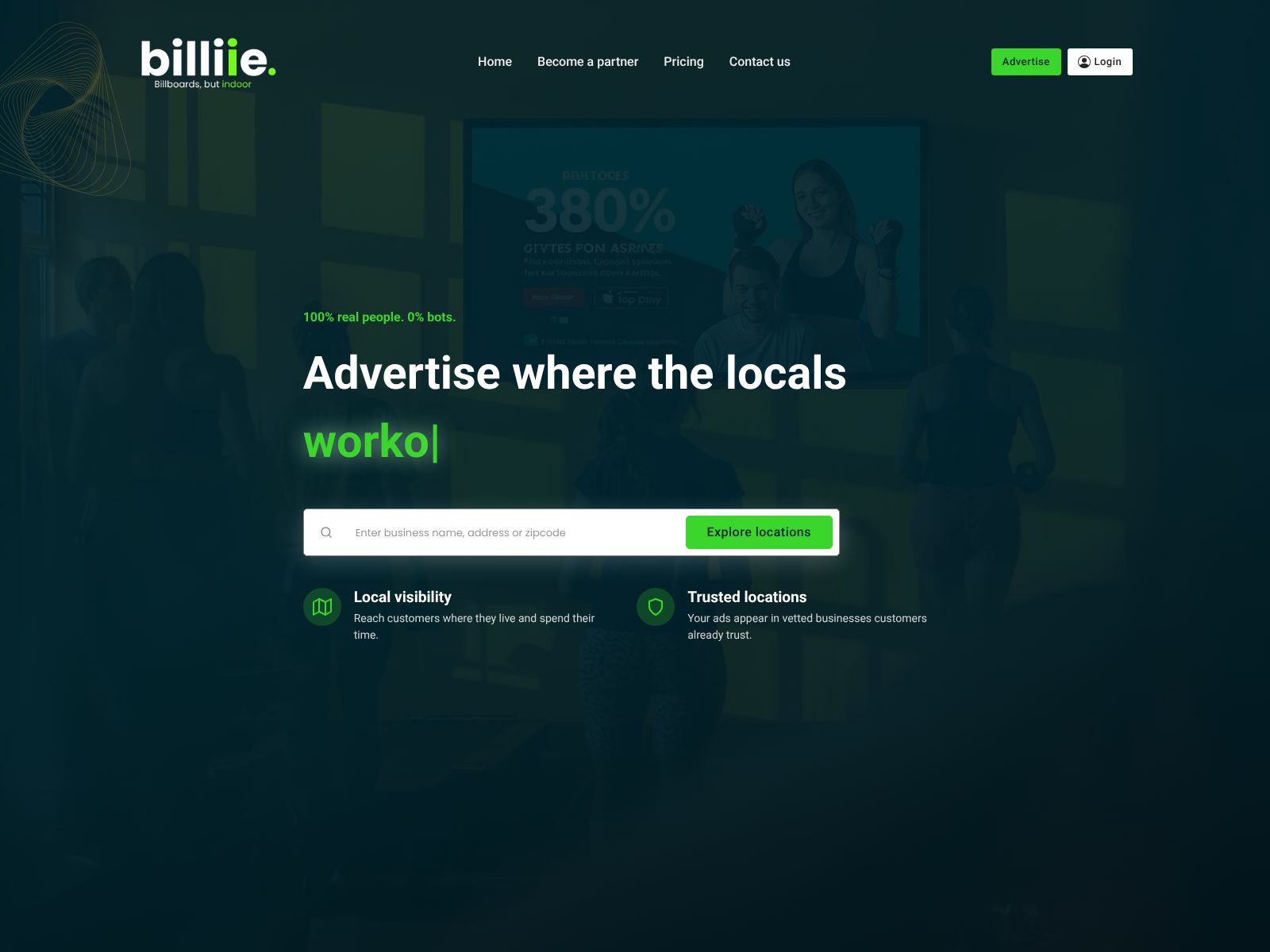
If you’ve ever looked at the TVs in your shop and thought, “I wish these could do more for my business,” Billiie might be exactly what you’ve been waiting for. Billiie is a free digital signage platform that helps you turn the screens you already own into professional, in-store displays. With a simple online dashboard and no complicated hardware, you can share promotions, menus, announcements, and more—while also unlocking a chance to earn revenue from your screens. In this review, you’ll learn what Billiie does, who it’s for, the key features, how it compares to other signage tools, and how to decide if it’s right for you.
Billiie helps you turn existing TVs into digital signage. You create and manage content through a simple online dashboard and publish it to compatible smart TVs or streaming devices in your business. You can display promotions, menus, business information, community updates, and other custom messages—without buying expensive hardware or learning complicated software. Unlike many traditional signage platforms, Billiie also offers participating businesses the opportunity to earn revenue from their displays through the Billiie network.
Billiie is designed for small businesses that want professional-looking in-store displays without high costs or technical headaches. It’s a great fit for:
If your business has foot traffic and you have at least one TV, Billiie gives you a straightforward way to modernize your customer communications—often with the hardware you already own.
Billiie focuses on doing a few important things very well: making digital signage easy, affordable, and useful for everyday business scenarios. Here’s a closer look at what you can expect.
At the center of Billiie is a simple online dashboard. You don’t need special design software or a technical background. You log in, create your content, and publish it to one or more screens. If you’ve ever updated a social media post or edited text on a website, you’ll feel at home managing your displays with Billiie.
Many small businesses struggle to keep signage current. Paper signs get outdated or ignored. With Billiie, you can keep your messages fresh and relevant in minutes. Typical content includes:
Because everything lives online, you can preview changes and push updates without reprinting anything or running around to different locations.
Whether you have one TV or several across different rooms or stores, Billiie is built to scale with you. You can manage multiple screens from the same dashboard, making it easy to ensure consistent branding and messaging. If you operate multiple locations, you can keep core content consistent while tailoring a few screens to local specials or announcements.
Traditional digital signage often requires proprietary hardware, which adds cost and complexity. Billiie instead works with compatible smart TVs and streaming devices. That makes setup straightforward for most small businesses: power on, connect to the internet, and you’re ready to start displaying content. The less you need to buy or install, the faster you can go live.
One of Billiie’s most distinctive advantages is cost. It’s a free digital signage platform designed to remove barriers for small businesses. On top of that, participating businesses can earn revenue through the Billiie network. You manage your own content and can also opt into advertising opportunities on your screens. For many small businesses, this turns signage from a cost center into a modest revenue stream—something most traditional platforms don’t offer.
Because management happens from a single online dashboard, you can control what plays on your screens without changing inputs or swapping USB drives. If you need to fix a typo or extend a promotion for another week, it takes just a few clicks. That responsiveness is especially helpful for businesses with frequent menu changes, rotating inventory, or time-sensitive offers.
Some signage platforms overload you with advanced features you’ll never use. Billiie’s approach is to stay practical and approachable. If your top priority is keeping customers informed—cleanly and consistently—without a large learning curve, the platform’s focused toolset is a plus.
According to Billiie’s description, the platform is free. There’s no mention of expensive proprietary hardware or complicated licensing. You use compatible smart TVs or streaming devices, manage your content online, and can also choose to participate in revenue opportunities through the Billiie network. For many small businesses, that means you can get started without adding a new monthly software bill to your budget.
If you’re comparing options, note that many traditional digital signage platforms use a subscription model and may require specific media players. Billiie’s free approach and ability to use common devices set it apart—especially if cost has kept you from trying digital signage in the past.
While every setup can be a little different depending on your devices and internet connectivity, the general path to go live with Billiie is straightforward:
Pro tip: Start simple. Launch with your hours, top-selling items, and one time-limited offer. Once you see how easy it is to edit, you can expand with more content categories over time.
If you’re wondering what to actually put on your screens, here are some quick ideas you can adapt right away:
Whatever your niche, aim for content that is helpful, timely, and easy to read at a glance. Clear headlines, short bullet points, and bold calls to action work best on screens.
No platform is perfect for every situation. Here’s a balanced look at where Billiie shines and where you may want to ask more questions before committing.
What you’ll like
What to consider
For most small businesses, the benefits—especially the free cost and simple setup—are compelling. It’s easy to test on a single screen and expand if it meets your goals.
The digital signage market includes many options. Most competitors use a subscription model and may require proprietary players. Below are popular alternatives you can compare with Billiie based on your needs and budget.
ScreenCloud is a widely used cloud-based signage platform known for its polished interface, app ecosystem, and strong support. It offers robust screen management and is often chosen by growing retailers, restaurants, and offices. Best for teams that want a premium experience and don’t mind paying a subscription for advanced features and integrations.
Yodeck focuses on ease of use and remote management, with templates and media support that make it simple to build playlists and displays. It typically uses dedicated media players (or compatible devices) and charges a subscription per screen. A solid pick if you want structured scheduling and centralized controls with predictable monthly costs.
OptiSigns provides a flexible cloud platform with templates and content apps. Many small and mid-sized businesses use it for menu boards, announcements, and internal communications. It follows a subscription model and is well-suited for teams that prefer a traditional paid toolset with broad device support.
Raydiant offers a more full-service experience, including hardware bundles and customer engagement tools. It’s popular among restaurant and retail chains that want an all-in-one solution and are comfortable with a higher price point. If you prefer a vendor-managed setup and premium support, Raydiant is worth a look.
Rise Vision is often used in education and community organizations for announcements, calendars, and event displays. It provides templates and a straightforward interface. If you’re a school or a community-focused space, Rise Vision’s approach may align well with your content needs.
Look is a cloud-based platform targeting small to mid-sized businesses with playlist capabilities, media support, and remote management. It typically charges per screen and supports various devices. Good for teams that want reliable scheduling and don’t mind a standard subscription model.
NoviSign offers an easy-to-use cloud editor and supports many types of content. It’s used across retail, hospitality, healthcare, and corporate environments. If you want classic digital signage features with a straightforward interface, NoviSign is another option to consider.
If your priority is low cost, simple control, and getting value from screens you already have, Billiie is a compelling pick. If you need specialized workflows, specific integrations, or complex schedules, a traditional paid platform might be a better match.
Ask yourself a few quick questions:
If you answered “yes” to most of these, Billiie is worth trying. Because it’s free and doesn’t require expensive hardware, you can pilot it on a single screen with minimal risk. Start with your most visible TV—near your checkout, host stand, or seating area—and measure the impact. Track whether featured items sell more, if customers ask fewer repetitive questions, or if upsells increase after you promote bundles and add-ons.
On the other hand, if your organization needs very advanced enterprise features, highly specific integrations, or rigorous approval workflows, compare Billiie with one or two subscription-based platforms to ensure you get every control you need.
Billiie brings digital signage within reach for any small business by turning existing TVs into professional display screens. With a free platform, a simple online dashboard, instant content updates, and an opportunity to earn revenue through the Billiie network, it’s a practical way to inform and engage customers without taking on extra costs. If you’ve been putting off digital signage because of hardware or subscription fees, Billiie removes those barriers and helps you get more value from the screens you already have.
Ready to see what your screens can do? Explore Billiie at billiie.co, start with one display, and build from there. Your customers are already looking at your TVs—now you can make every glance count.
