




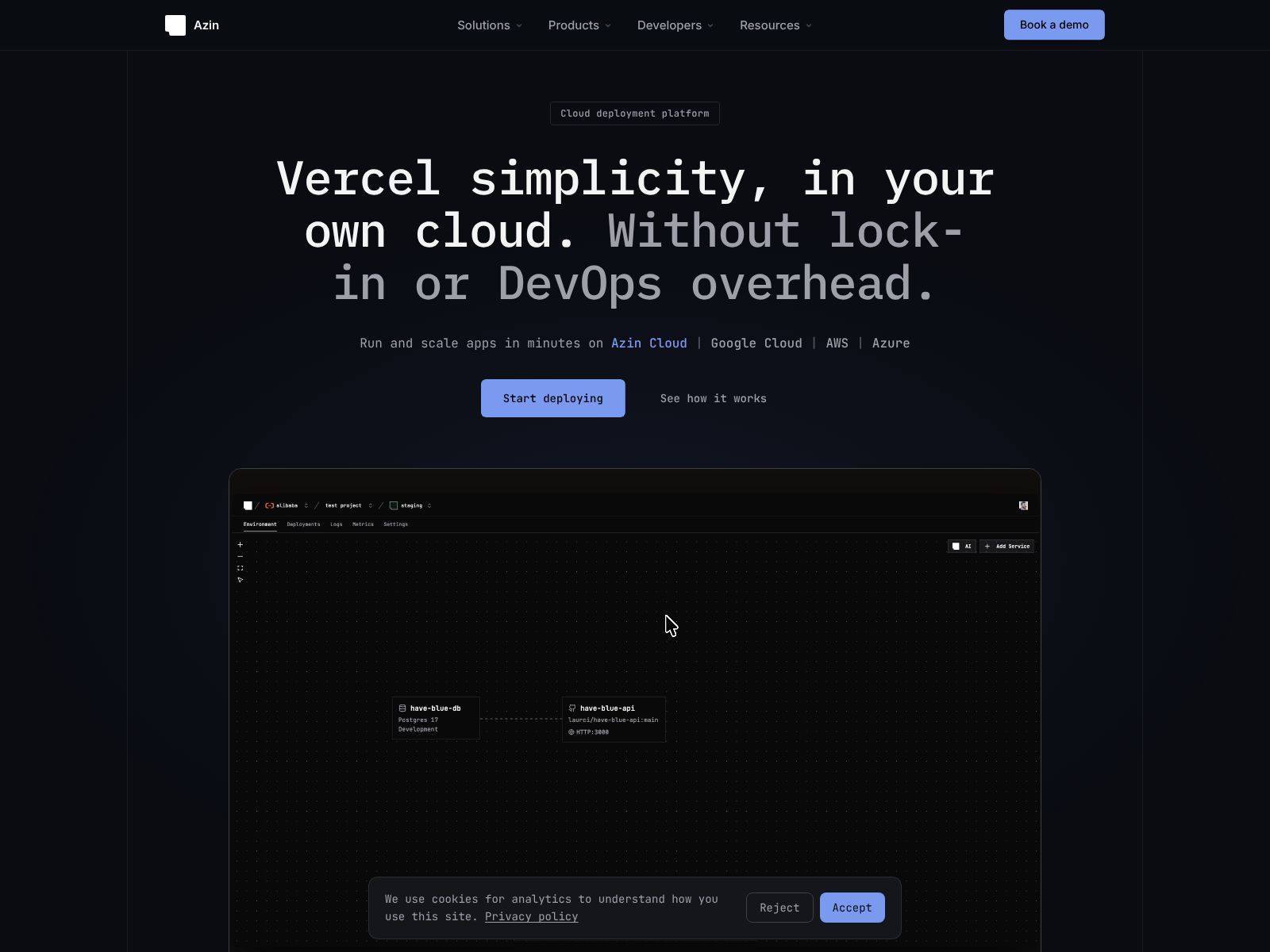
If you’ve ever wished cloud deployments could be as simple as pushing code, Azin aims to make that your daily reality. It connects to your code repository, turns your application into containers, and deploys those containers to AWS, Azure, or Google Cloud—without you having to wire everything up by hand. You also get preview environments for every change, built-in monitoring and logging, plus an AI agent that can turn a plain-language description of your desired setup into working infrastructure. In this review, I’ll walk you through what Azin does, the features that matter, how to think about pricing, and which alternatives are worth a look. My goal is to help you decide if Azin fits your team’s workflow and your deployment needs.
Whether you’re a startup building your first production system, a growing team tired of maintaining custom scripts, or an enterprise looking to standardize deployments across multiple clouds, Azin’s promise is straightforward: deploy fast, deploy safely, and keep your eyes on product, not plumbing. Let’s explore how it works in practice.
Azin is a cloud deployment platform that takes your code from a repository and gets it running in the cloud with minimal setup. It automatically builds, tests, and deploys your app as containers to AWS, Azure, or Google Cloud. It also creates preview environments for each change so you can test before release. You get monitoring, logging, and application metrics out of the box. And you can use an AI agent to describe infrastructure in plain language and have it generate the setup for you.
Azin supports deploying to the major public clouds—AWS, Microsoft Azure, and Google Cloud—so you’re not boxed into a single provider. This unlocks a few practical benefits for you and your team:
In most cases, you link your code repository, pick your target cloud and region, and let Azin handle the containerization and deployment pipeline behind the scenes. This is especially useful if you’re consolidating toolchains or you have clients on different clouds.
Azin connects to the code repositories your team already uses. When you push code or open a pull request, it automatically triggers a build, runs tests (if configured), and prepares a deployment. The goal is to make continuous delivery the default rather than a one-off effort.
This kind of automation typically reduces “works on my machine” surprises and cuts the time from commit to deployment. If your team is used to juggling separate CI and deployment tools, Azin brings these steps into a single flow, which also simplifies ownership and troubleshooting. It’s a practical way to encourage more frequent, smaller releases—a pattern that usually leads to fewer production issues and faster feedback from users.
You don’t need to maintain complex Dockerfiles or container build scripts if you don’t want to. Azin converts application code into containers for you. This takes away a major source of friction for teams who are still moving from traditional VMs or who haven’t standardized on container builds.
Why this matters:
If you already have a strong container build setup, you can still benefit by letting Azin handle the orchestration and deployment side, while keeping your preferred build steps intact.
Preview environments let you test a feature branch in an isolated, production-like setup before you merge or release. Azin automates this, so every pull request can spin up its own environment with a unique URL. That means product managers, QA, designers, and stakeholders can interact with the change exactly as end users would—no more sharing screenshots or guessing how it will behave once deployed.
This speeds up feedback loops and cuts down on bugs that surface late in the release cycle. For teams practicing trunk-based development or frequent releases, previews keep confidence high without slowing momentum. If you’ve ever tried to maintain ad-hoc staging servers, you’ll appreciate not having to maintain or clean up environments manually.
Getting an app live is step one; keeping it healthy is the real challenge. Azin includes monitoring, logging, and metrics so you can see how your application behaves in real time. You can check performance, watch trends, and spot issues before they become outages.
Here’s why this is valuable:
If your organization already has a preferred observability stack, consider using Azin’s built-in tools for day-one visibility and then integrate deeper with your existing systems as your setup matures.
One of Azin’s standout features is an AI agent that can translate plain-language requests into infrastructure configuration. Instead of writing low-level setup files or memorizing every service option, you can describe what you want, and the AI generates a starting point you can adjust.
Examples of prompts you might try:
Why this is useful:
Even if you’re an expert, offloading boilerplate to the AI frees you to focus on what’s unique about your system. As with any AI-generated configuration, review changes carefully, especially for production-critical workloads.
One of the biggest wins with platforms like Azin is the streamlined experience for developers:
This flow reduces context switching and manual handoffs. It’s especially helpful for teams moving from a patchwork of scripts and services toward a single, reliable pipeline.
While Azin focuses on automation and speed, it also supports collaboration-friendly workflows through previews, shared visibility, and repository-driven pipelines. To keep things clean as your team grows, consider these practices (regardless of the platform):
These habits keep your deployment flow safe as you scale and make it easy for cross-functional teams to participate without friction.
While pricing specifics can change and may vary by plan, here’s a practical way to think about costs when evaluating Azin:
Cost-control tips you can apply from day one:
For current pricing and plan details, check the Azin website directly. If you’re piloting the platform, start with a small service and a few preview cycles to estimate monthly spend. That hands-on data will be more reliable than guesswork, especially when previews and build activity vary by team.
There are many ways to deploy apps to the cloud. Here are notable alternatives and how they stack up conceptually against Azin:
Which option makes sense depends on your priorities. If you want the fastest possible start and don’t care which cloud runs your app, a classic PaaS might be enough. If you want consistent deployment across AWS, Azure, and Google Cloud with previews and integrated visibility, Azin aims to hit that sweet spot with a lighter operational load than DIY.
Azin’s value is clear: it turns cloud deployment from a project into a productized workflow. You connect your repo, choose your target cloud, and let the platform build, test, and deploy your app as containers. Every change can spin up a preview environment so your team can validate before release. Monitoring, logging, and metrics are built in, and an AI agent helps you describe infrastructure in plain language and get a working setup quickly.
Choose Azin if you want:
Before you adopt any platform, run a short proof-of-concept. Here’s a quick plan you can use:
If that experience shortens your feedback cycle and reduces toil—as it should—you’ll likely see outsized returns when you roll it out to more services. And as your needs evolve, you can deploy to whichever cloud fits best without rebuilding your pipeline from scratch. For many teams, that combination of speed, safety, and flexibility is exactly what modern delivery demands. To learn more or start a trial, visit the Azin website at azin.run.
