Aiseptor Review (Features, Pricing, & Alternatives)
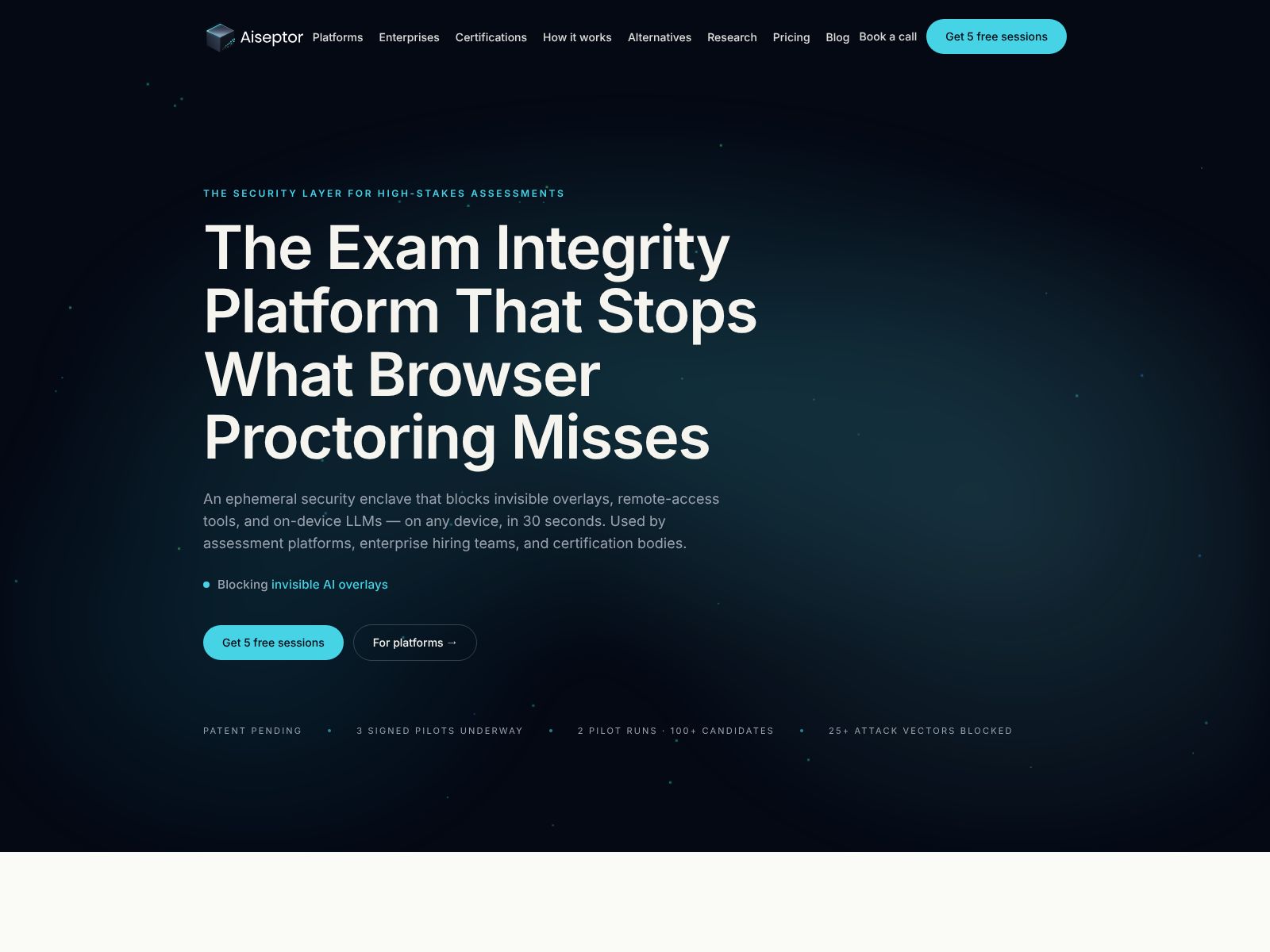
If you run high‑stakes exams, skills assessments, or any workflow where the integrity of results truly matters, you’ve probably felt how quickly AI tools and background apps can undermine trust. Aiseptor is a platform built to answer that problem with a different approach: instead of watching users with intrusive proctoring or forcing heavy endpoint installs, it creates a temporary, zero‑trust network perimeter during the session itself. In this review, I’ll walk you through what Aiseptor does, where it fits, its core features, who it’s best for, how pricing typically works in this market, and which alternatives you might compare it with.
By the end, you should have a clear mental model of whether Aiseptor could secure your remote assessments or sensitive digital workflows—without getting in the way of your users.
What does Aiseptor do?
Aiseptor helps you protect exams and sensitive online tasks by temporarily isolating a user’s device network during an active session. While the session is live, it blocks unauthorized background apps from accessing the internet, reducing the chance that AI tools or hidden software can assist the user. When the session ends, Aiseptor turns off cleanly without a persistent install.
Aiseptor Features
Aiseptor’s core idea is simple but powerful: create a session‑based, zero‑trust perimeter on the user’s device—just for the time you need it—and then remove it without leaving behind a heavy agent or kernel driver. Here are the capabilities that stand out based on Aiseptor’s public positioning and the problems it’s designed to solve.
1) Ephemeral network isolation during active sessions
Aiseptor deploys an ephemeral (temporary) network control in user space while a session is in progress. In practice, that means:
- Only the approved application or browser context can reach the internet.
- Background apps and unauthorized processes are blocked from going online.
- The perimeter appears for the session and disappears after, leaving no persistent install behind.
This approach reduces the risk that AI assistants, clipboard syncing tools, messaging apps, or covert services can exfiltrate data or feed answers into the session.
2) Zero‑trust mindset built for assessments
Zero‑trust means “trust nothing by default, verify and allow only what’s needed.” In an exam or verification flow, the “allowed set” is typically small (your assessment platform, content server, identity services, and monitoring endpoints). Aiseptor aligns with that by letting only the necessary traffic through during the exam window—and nothing else.
3) User‑space deployment (no kernel driver)
Many lockdown tools and endpoint security products rely on kernel‑level drivers that can create compatibility, stability, or privacy headaches. Aiseptor emphasizes a user‑space approach, which helps:
- Simplify adoption on bring‑your‑own‑device (BYOD) scenarios.
- Reduce friction for test‑takers who don’t want a permanent agent installed.
- Minimize risk to device stability compared to kernel‑level hooks.
4) Privacy‑preserving by design
A key promise here is maintaining user privacy while still protecting exam integrity. Because the control is ephemeral and focused on network isolation rather than deep device monitoring, it’s a lighter touch than full proctoring or invasive endpoint agents. That can be especially important for universities, certification bodies, and employers that need strict compliance and minimal data collection on personal devices.
5) API‑first integration
Aiseptor exposes its capabilities through an API so you can trigger the secure perimeter when a session starts and tear it down when it ends. This is helpful if you operate an LMS, exam portal, credentialing platform, or internal assessment workflow and want tight control over:
- When to activate the isolation
- Who is covered (user/session scoping)
- What traffic is allowed
- When and how to end the protection cleanly
API‑driven control also opens the door to automations—think: “Enable secure perimeter when the proctor confirms identity,” or “Tear down immediately if the user exits the exam window.”
6) Focus on blocking AI‑enabled fraud
Most proctoring tools aim to detect cheating. Aiseptor aims to prevent it by cutting off background tools before they can help. When unauthorized apps cannot talk to the internet, it becomes much harder for test‑takers to quietly query language models, send questions to a friend, or search restricted content in parallel.
7) Aligns with BYOD and remote‑first delivery
Because Aiseptor doesn’t require a persistent agent or kernel driver, it fits well with modern assessment delivery models where candidates use their own devices at home. Rather than asking users to install a heavyweight agent, you invoke Aiseptor only for the duration of the assessment, which can reduce support tickets and adoption barriers.
8) Complements (not replaces) your exam platform
Aiseptor is not an LMS, test authoring suite, or full proctoring service. It’s a security layer that you plug into your existing stack to harden the network environment. You can still combine it with identity verification, browser‑based restrictions, and live or AI proctoring depending on your risk model.
9) Lower friction than full device lockdown
Classic lockdown browsers and kiosk modes can be heavy‑handed and sometimes brittle. Aiseptor takes a narrower aim: control the network pathways that matter most for cheating. That can reduce conflicts with legitimate device settings while still protecting the result.
10) Session‑scoped controls for exams and other workflows
While exams are the headline use case, the same technique applies to any sensitive digital workflow: onboarding and compliance attestations, secure code challenges, product certifications, or remote verifications where background AI tools could compromise the outcome. If you trigger Aiseptor when the workflow begins and stop it when complete, you reduce the attack surface without long‑term device changes.
Who is Aiseptor best for?
You’ll get the most value from Aiseptor if you operate in one of these settings:
- Universities and higher‑ed institutions delivering remote or hybrid exams
- Certification bodies issuing professional credentials or licensure
- Enterprise platforms running internal skills tests, sales certifications, or compliance checks
- Online course providers that need trustworthy assessments to uphold course integrity
- Any team worried about AI‑assisted cheating or covert background apps during sensitive tasks
If you require strict privacy, support BYOD, or cannot enforce permanent device agents, Aiseptor’s ephemeral model will feel especially appealing.
Where Aiseptor shines (pros)
- Ephemeral by default: No persistent install, which eases user trust and adoption.
- Zero‑trust focus: Only approved traffic passes during the session, reducing attack paths.
- Privacy‑forward: Limits invasive monitoring, aligning with institutions sensitive to data collection.
- API‑driven: Fits into automated exam flows and custom platforms cleanly.
- BYOD‑friendly: Works for remote candidates on personal devices without kernel drivers.
- Purpose‑built for AI‑era risks: Targets background tools and covert apps that commonly assist cheating.
What to consider (cons and tradeoffs)
- Not a full proctoring suite: You may still want ID checks, browser restrictions, or human/AI proctors depending on your policy.
- Scope limits: Network isolation can’t stop a user from consulting a second device or offline notes. It should sit alongside broader exam rules.
- Compatibility factors: Because it runs in user space, supported operating systems, browsers, and app types matter. Validate your environment early.
- Legitimate background apps: Some users rely on cloud backup, note‑sync, or security tools. Those may need to be allowed explicitly for a smooth experience.
- Operational readiness: You’ll want clear workflows for activating/deactivating sessions, handling exceptions, and supporting candidates at scale.
Typical implementation approach
Most teams will start with a small pilot. A common path looks like this:
- Define your allowed traffic: Identify the URLs, APIs, identity endpoints, and content servers exams require.
- Integrate the API: Trigger Aiseptor when the session opens and close it on submission or timeout.
- Run candidate dry‑runs: Offer practice sessions so users can confirm compatibility and comfort.
- Monitor and tune: Watch for blocked legitimate traffic, then adjust policies or whitelists accordingly.
- Expand coverage: Add more courses, certifications, or workflows as your team gains confidence.
Security posture and privacy expectations
Because Aiseptor is about limiting network pathways rather than scraping device data or capturing screens, it’s conceptually easier to justify to privacy stakeholders. Still, you’ll want to review:
- What metadata is collected during sessions (for auditing or troubleshooting)
- How long logs are retained and where they’re stored
- How user consent and policy notices are presented
- Any compliance attestations your organization requires (e.g., GDPR alignment, FERPA considerations in education)
Make sure these align with your institutional policies and your audience’s expectations.
Performance and user experience
Network isolation should be invisible when it’s working well. The exam or workflow needs to feel normal while unauthorized background traffic is blocked. In your pilot, keep an eye on:
- Page load times and media performance during assessments
- Audio/video reliability if you use live proctoring alongside Aiseptor
- How quickly the perimeter activates and deactivates
- Clarity of candidate instructions and fallback paths if an app is blocked
Clear onboarding and a lightweight test session can prevent most support escalations.
Pricing: what to expect
Aiseptor does not publicly list pricing details on its site at the time of writing. In this category, vendors often price by one or more of the following:
- Per session or per candidate attempts
- Monthly active users (MAU) or exam volume tiers
- Enterprise licenses with annual commitments
- Optional support or SLA tiers
Your best move is to reach out to Aiseptor directly with your projected volumes, technology stack, and any compliance needs. Expect discounts for higher volumes and multi‑year terms, and ask about sandbox access for pilot evaluations.
Website: https://aiseptor.com
How Aiseptor compares to common approaches
It helps to frame Aiseptor against the broader landscape of exam integrity and endpoint control:
- Lockdown browsers: These restrict what the user can do in the browser or OS. They can be effective but often require installs and may still leave network paths open for other apps. Aiseptor focuses on network isolation rather than UI control.
- Full proctoring: Live or AI proctoring monitors behavior (camera, mic, screen). It can deter cheating but may raise privacy and bias concerns. Aiseptor can complement proctoring by removing covert network assistance.
- EDR/DLP agents: Endpoint security agents monitor or block actions system‑wide, but are heavy, persistent, and rarely feasible for BYOD exam takers. Aiseptor is session‑based and ephemeral, aiming for lower friction.
- General ZTNA: Zero‑trust network access tools secure employee access to apps but aren’t tuned for exam workflows. Aiseptor applies a similar philosophy with exam‑specific controls and API timing.
Aiseptor Top Competitors
There isn’t a one‑to‑one competitor that matches Aiseptor’s exact ephemeral user‑space network isolation for assessments, but you’ll likely compare it across a few categories. Here are notable options and how they typically fit.
Secure exam browsers and lockdown tools
- Safe Exam Browser (SEB): An open‑source lockdown browser widely used in education. It limits access to other apps and sites during exams. Strong for controlled environments but usually requires specific configurations and doesn’t focus on ephemeral network isolation for background processes.
- Respondus LockDown Browser: A commercial lockdown browser for Windows and macOS that restricts the testing environment. Common in higher‑ed. Like SEB, it’s focused on UI/OS restrictions rather than temporary network isolation of background apps.
- ExamSoft (Examplify): A secure testing application used in professional and higher‑ed exams. It enforces a controlled environment but typically involves an installed client and is not centered on ephemeral network perimeters.
Remote proctoring providers
- ProctorU (Meazure Learning): Live or record‑and‑review proctoring with identity verification. Focuses on human/AI monitoring rather than network isolation.
- Proctorio: Browser‑based proctoring with automated behavior analysis and content restrictions. It emphasizes monitoring and browser control more than ephemeral, session‑scoped network isolation.
- Honorlock: Proctoring with AI detection and human review. Again, complements but does not replace network isolation for background apps.
- Pearson VUE OnVUE: Remote proctoring from a major test delivery provider. Strong operational maturity, but different in scope from Aiseptor’s network‑centric approach.
Zero‑trust network access (ZTNA) platforms
- Cloudflare Zero Trust: Broad enterprise ZTNA and gateway controls, great for corporate apps. Not exam‑specific and typically not ephemeral per session for external candidates.
- Zscaler: Enterprise security and zero‑trust access. Powerful but heavyweight for short‑lived, candidate‑facing exam sessions.
- Twingate, Perimeter 81, Banyan Security: Modern ZTNA options for workforce access. Useful analogs but not designed as assessment perimeters for BYOD candidates.
How to choose among them? Ask what risk you’re primarily solving:
- If you need to prevent covert AI or app‑assisted cheating, Aiseptor’s temporary network isolation is a strong fit.
- If you want behavior monitoring and identity checks, consider adding a proctoring service.
- If you must prevent OS navigation and enforce kiosk‑like control, a lockdown browser may be useful alongside Aiseptor.
- If your need is corporate app access for employees, a general ZTNA platform will be the better match.
Implementation tips and best practices
To get the most from Aiseptor (or any perimeter tool in exams), focus on process design as much as technology:
- Define clear exam policies: State what’s allowed and why the session perimeter is used. Transparency builds acceptance.
- Provide a system check: Offer a pre‑exam readiness test so candidates can verify network and permissions.
- Whitelist wisely: Start with the minimum viable set of allowed domains and expand only as needed.
- Plan supports and fallbacks: Document what candidates should do if a necessary app is blocked.
- Combine controls: Pair network isolation with identity verification and reasonable browser restrictions for defense in depth.
- Measure outcomes: Track academic integrity incidents and support volumes before and after rollout to prove impact.
When Aiseptor may not be enough by itself
No single tool covers every risk. Consider adding complementary measures if you face any of these scenarios:
- Second‑device risks: A phone or tablet beside the computer is outside the network perimeter. Proctoring or camera analytics may help here.
- Offline materials: Printed notes or textbooks won’t be blocked by network controls. Clear policies and exam design (e.g., open‑book formats) can mitigate this.
- Special accommodations: Some users may require assistive tools that need internet access. Plan exception workflows carefully.
- Strict compliance regimes: You may need additional attestations (e.g., SOC 2, ISO 27001 evidence from your vendors) and legal reviews.
Questions to ask during a demo
- Which operating systems and browsers are fully supported today?
- How do we define and update the allowlist for our sessions?
- What telemetry is captured, and how is it stored and retained?
- How is the ephemeral agent (or user‑space control) delivered and removed?
- What happens if connectivity drops mid‑exam?
- How do we handle exceptions or allow specific background apps case‑by‑case?
- What’s the typical integration path for LMSs, test platforms, or custom portals via API?
- What pricing models are available for our size and usage patterns?
Real‑world examples (scenarios)
To make this concrete, here are a few examples of how your team might use Aiseptor:
- University midterms: You integrate Aiseptor via API so that when a student launches the exam, the network perimeter activates. The LMS, content CDN, and identity provider are allowed; background access is blocked until submission.
- Professional certification: Candidates test remotely. You combine ID verification, Aiseptor network isolation, and limited proctoring. Support issues drop because there’s no heavy agent to install.
- Enterprise skills assessments: Your HR platform invokes Aiseptor for coding challenges. Only the challenge environment and Git repository are allowed. Clipboard syncing and messaging apps are quietly blocked.
How to evaluate Aiseptor vs. your status quo
If you already run remote exams, measure your current gaps:
- Do candidates rely on personal devices where you can’t enforce persistent agents?
- Have you seen signs of background app or AI‑assisted cheating?
- Do faculty or candidates push back on invasive monitoring?
- Is support overwhelmed by lockdown browser or kiosk‑mode issues?
If you answered yes to any of these, an ephemeral network perimeter like Aiseptor could lower friction while materially improving integrity.
A quick checklist for rollout
- Pick a pilot course or exam with supportive instructors or owners.
- Prepare candidate comms explaining what will happen and why.
- Run a practice test that mirrors the real session setup.
- Track issues: blocked apps, unusual latencies, user confusion.
- Adjust allowlists and guidance.
- Roll out to more programs and watch incident rates and support tickets.
Support and success considerations
Ask Aiseptor about available implementation support, SLAs, and best practices from similar customers. Because the platform is API‑first, having examples, quick starts, and environment‑specific notes (Windows/macOS, managed vs. unmanaged devices) makes a big difference. You’ll also want visibility into basic metrics like session counts, policy hits, and error rates to inform continuous improvement.
Final verdict: is Aiseptor worth it?
If your primary risk is AI‑enabled or background‑app cheating in remote assessments, Aiseptor offers a modern, privacy‑conscious answer. Its session‑based, user‑space network isolation targets the real vectors that matter today without forcing you to install heavy endpoint agents on personal devices. It won’t replace identity checks or every aspect of proctoring, but it pairs well with both and can meaningfully shrink the attack surface during exams.
For education providers, certification bodies, and enterprise platforms that need trustworthy results at scale, Aiseptor is well worth a pilot. Start small, measure the difference, and expand once you’ve tuned your allowlists and candidate guidance.
Wrapping Up
Aiseptor is a zero‑trust security platform focused on preventing AI‑enabled fraud in remote exams and sensitive workflows. It does this by briefly isolating the device’s network during an active session, blocking unauthorized background apps from going online, and then shutting down cleanly without a persistent install or kernel driver. The result is a leaner, privacy‑friendlier way to harden exam integrity—especially in BYOD environments.
Because pricing isn’t publicly listed, your next step is to contact Aiseptor with your use case and expected volumes. In parallel, compare it with lockdown browsers and proctoring tools—and remember, they’re often complementary rather than either/or choices.
Ready to explore? Visit aiseptor.com, request a demo, and run a short pilot. If the platform aligns with your workflows and candidate experience goals, you’ll have a sustainable path to protecting assessment integrity in an AI‑accelerated world.